Login by Admin
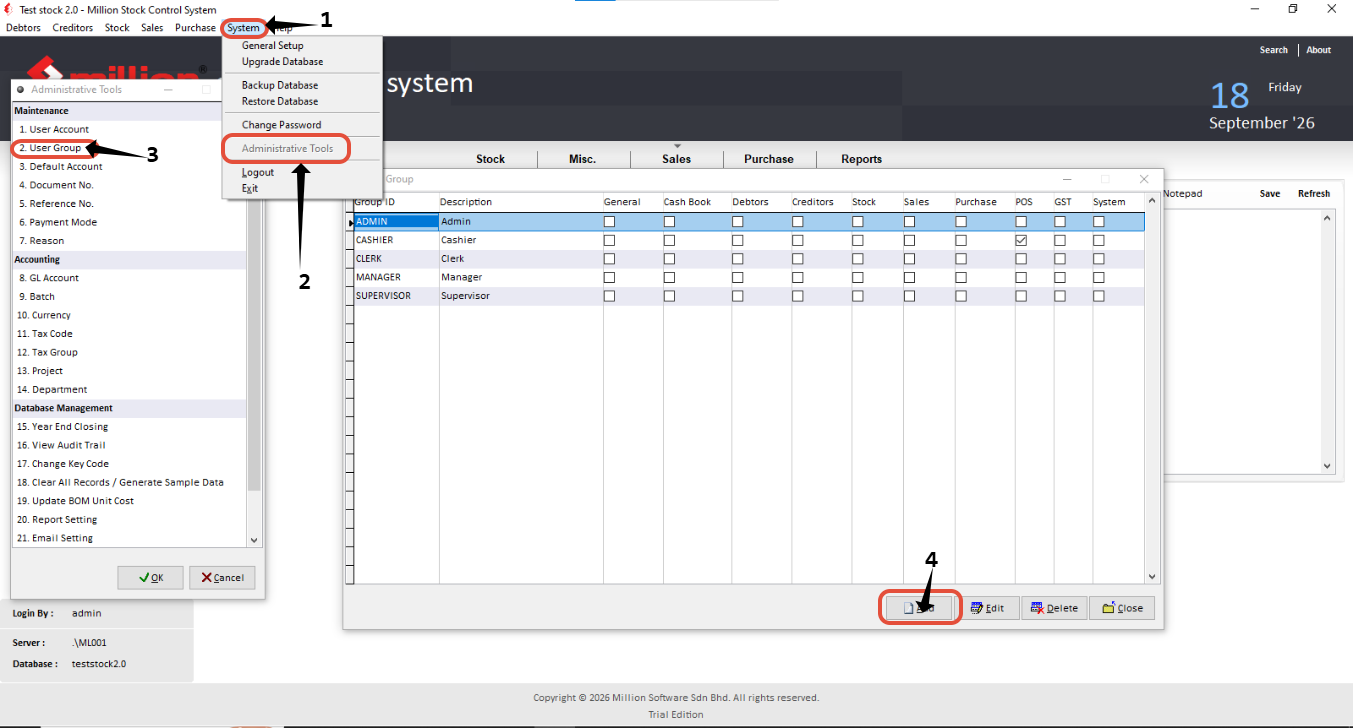
System -> Administrative Tools -> User Group -> Add or Edit
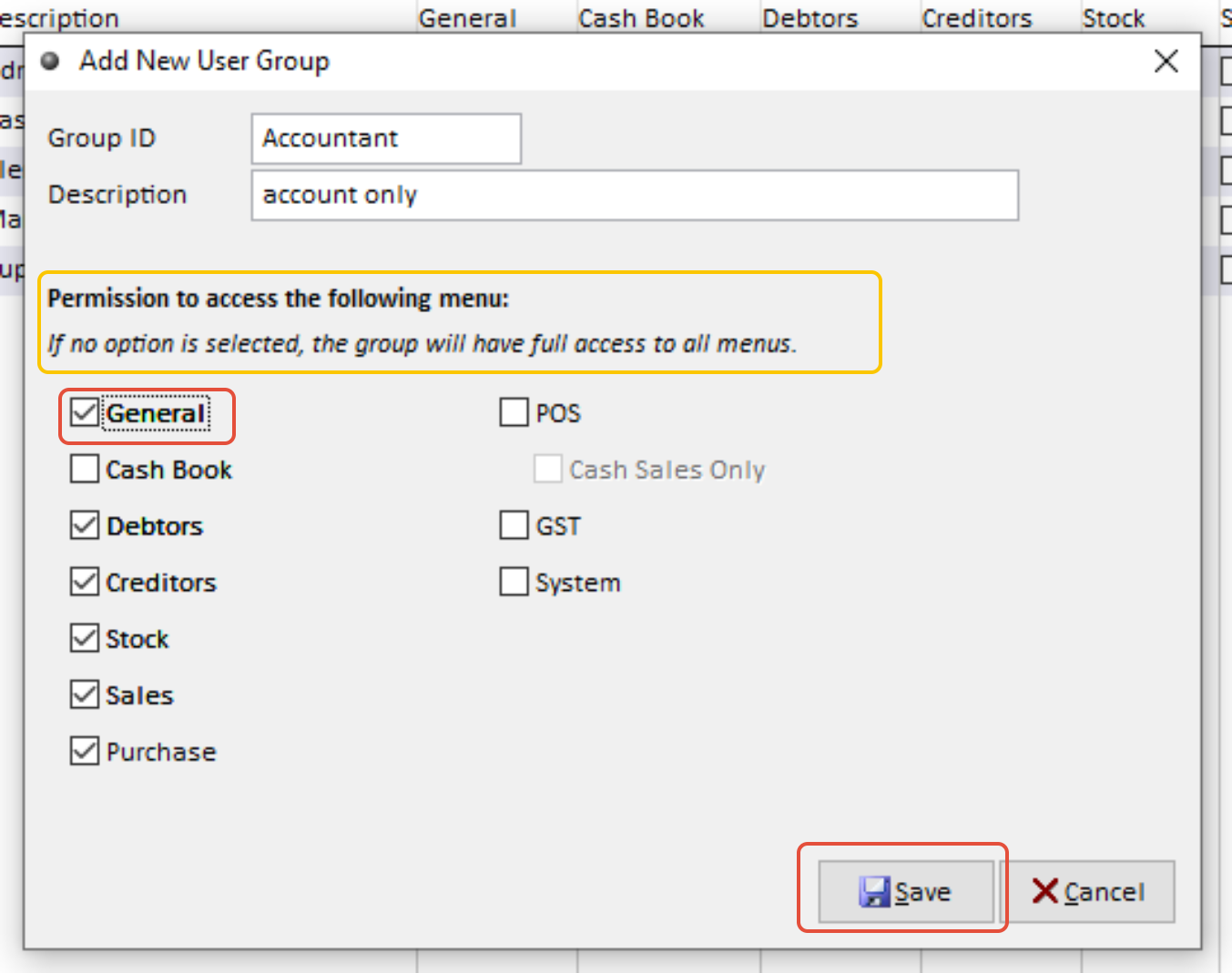
Click the access that you want to give -> save
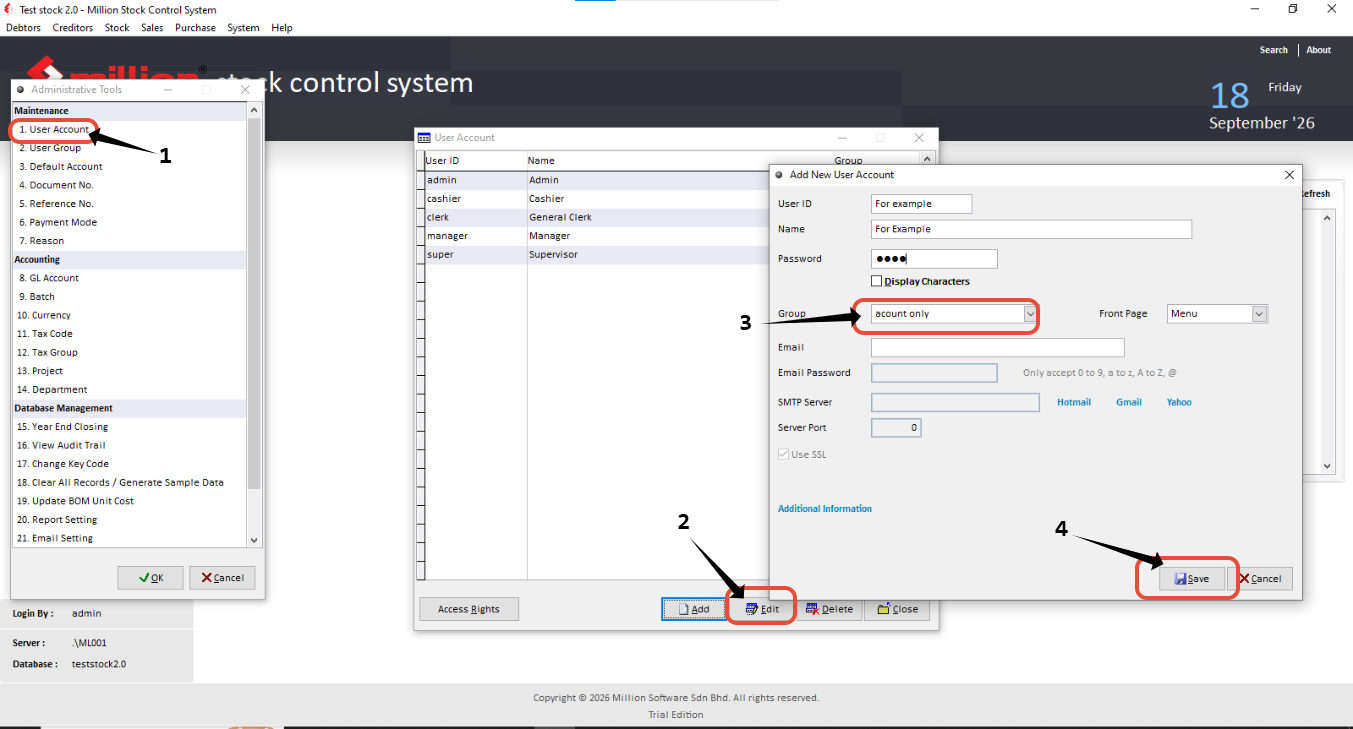
System -> Administrative Tools -> User Account -> edit and choose Group that you want ->save
After done,log out and login again
OR, other way
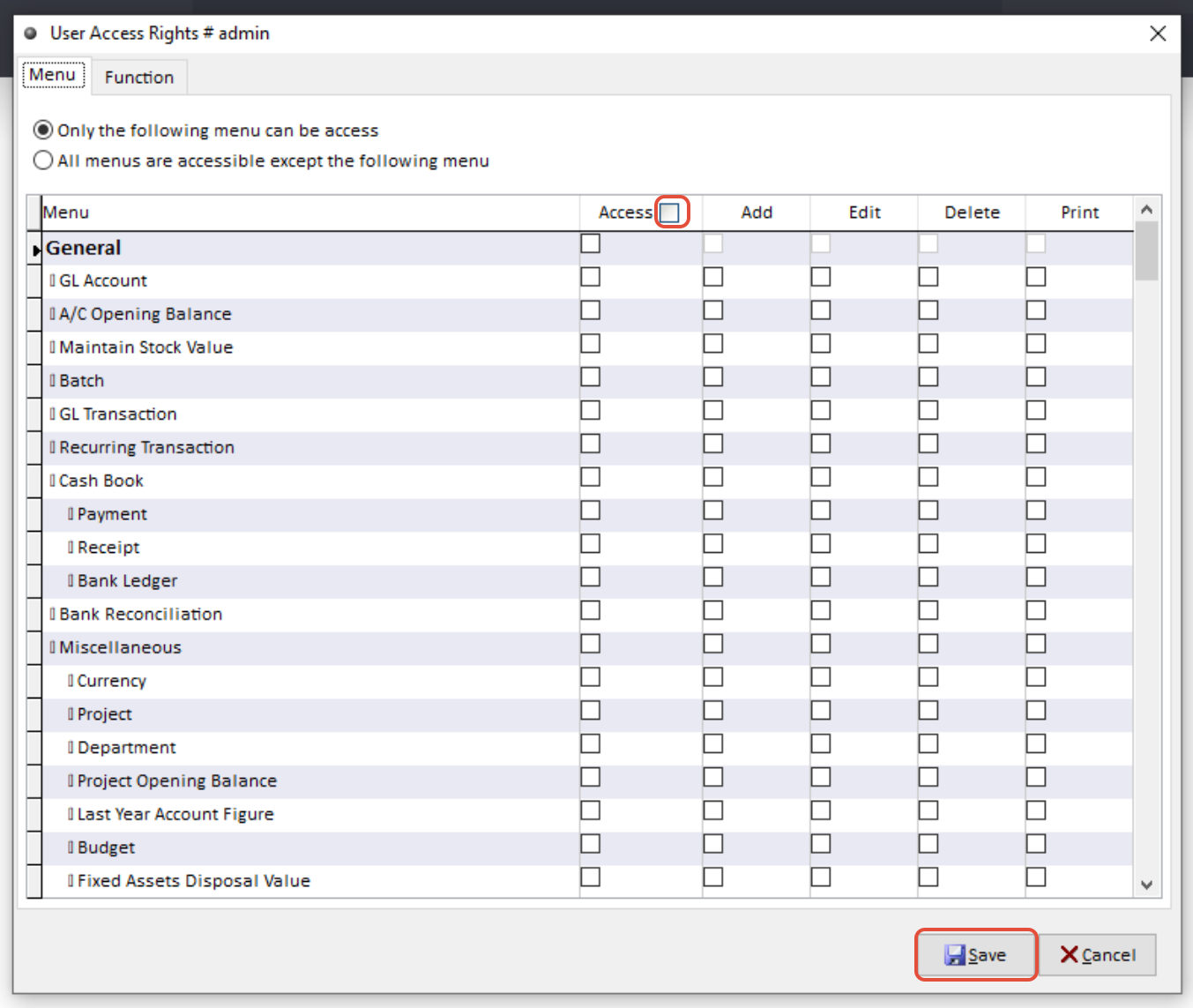
System -> Administrative Tools -> User Account ->click the Specific User and click Access Right
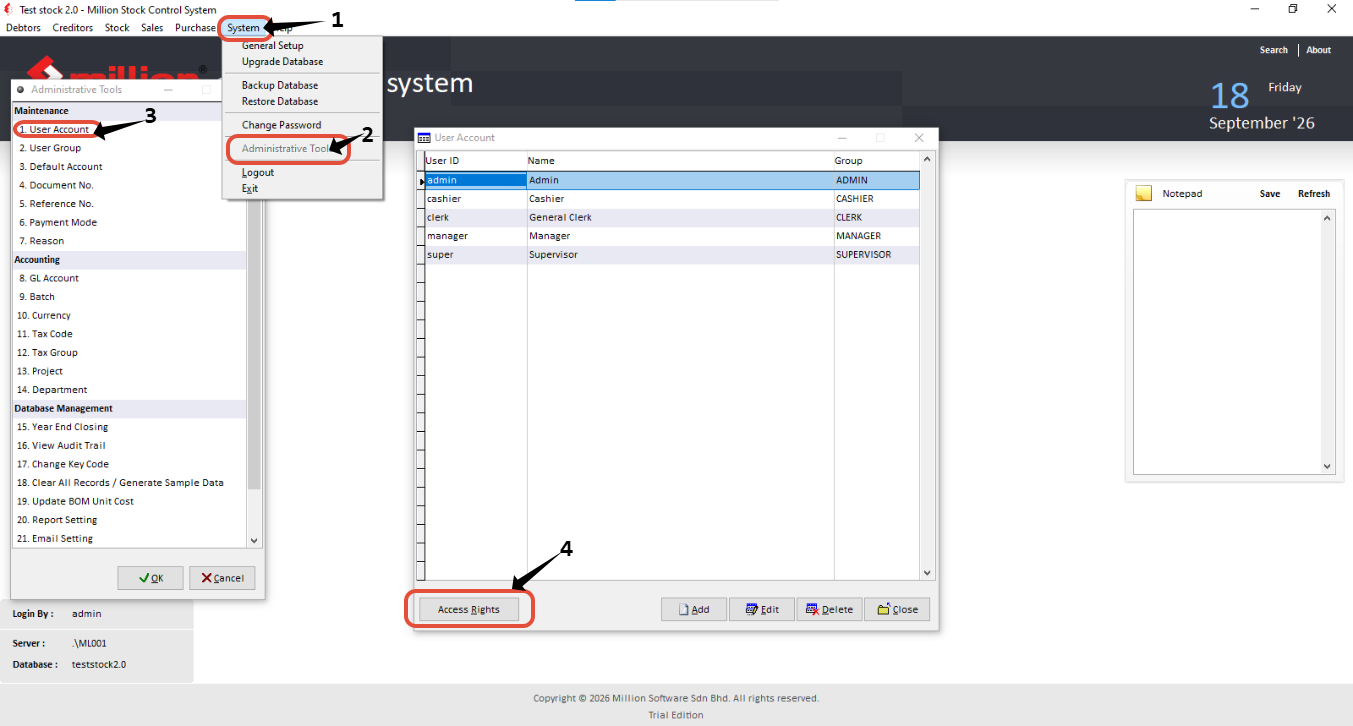
1.Click the 'Only the Following Menu can be access'
2.In Default, all button will be unclick it mean full access.
3.Then you can start to click what access you want to give to user -> Click save