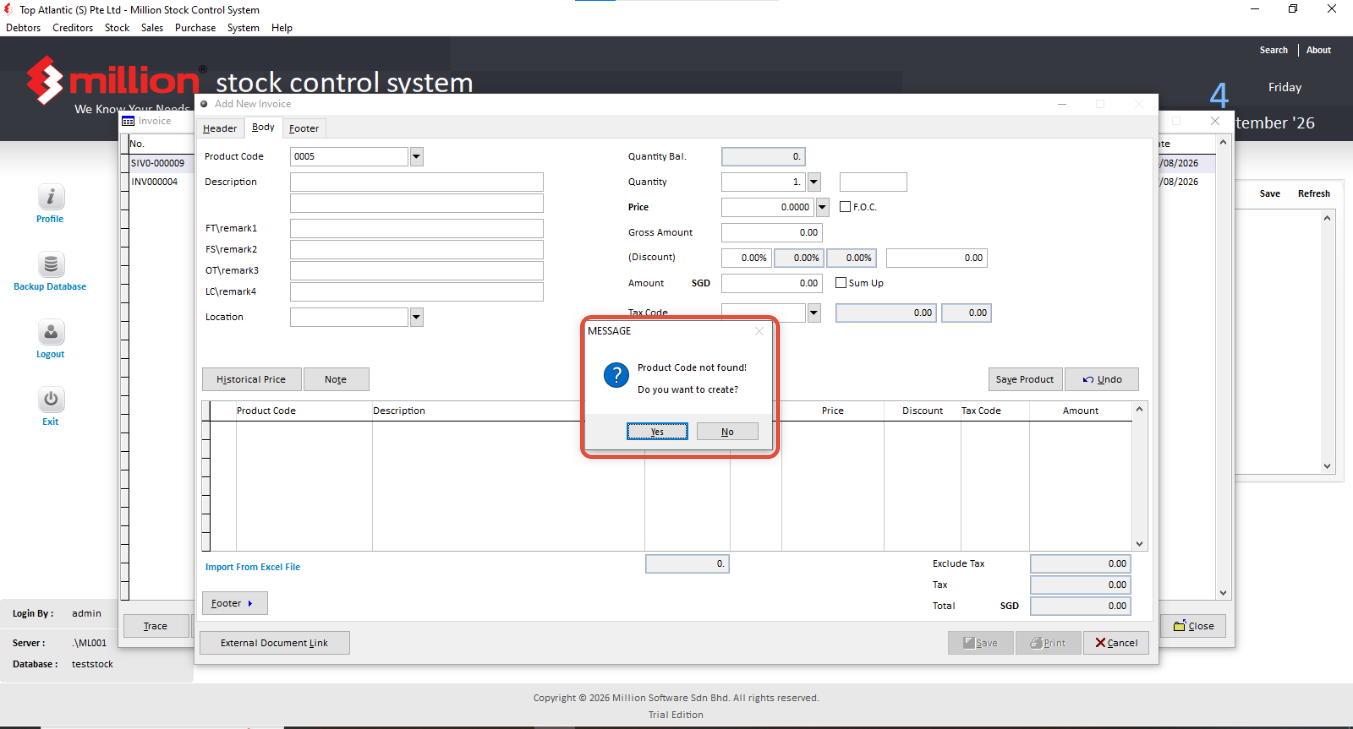
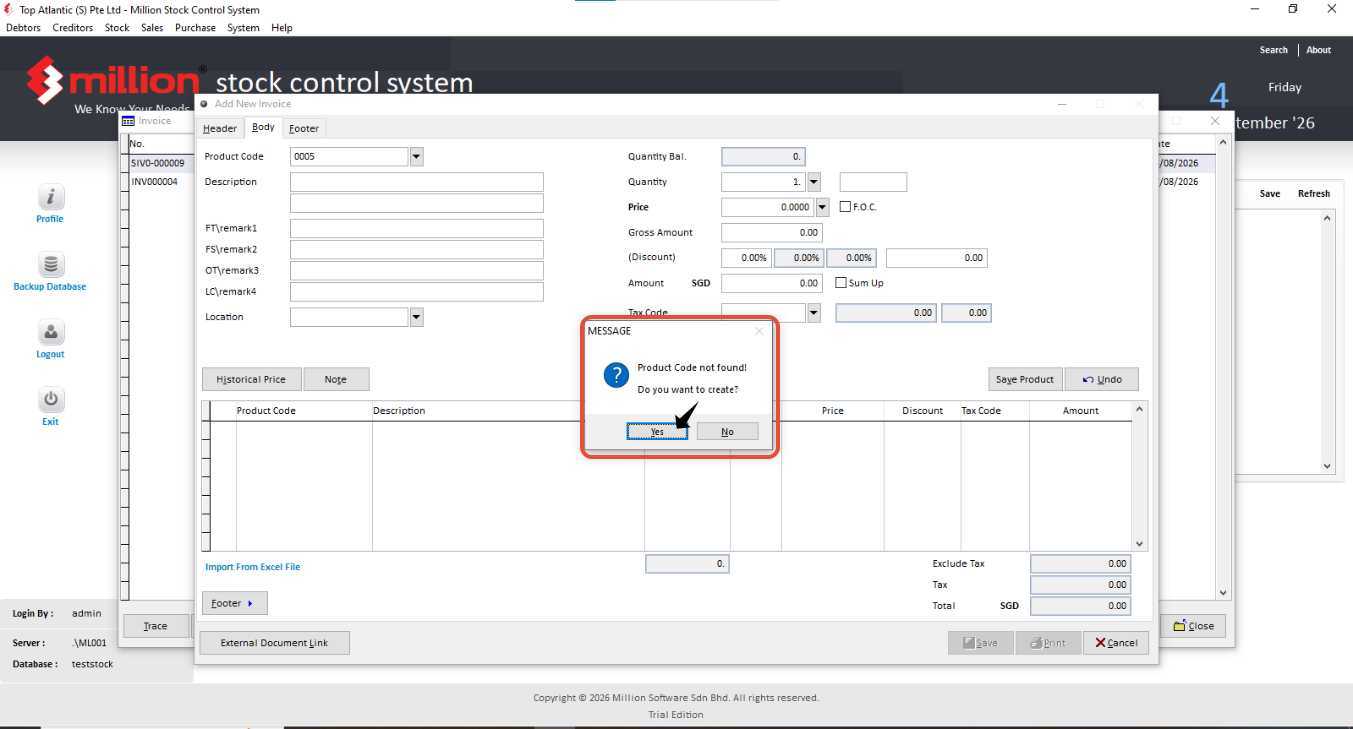
When in body page, you key in the Product code manually but pop out the Message shown Product Code not Found, it mean that the Product code is Wrong or you have not create the Product yet.
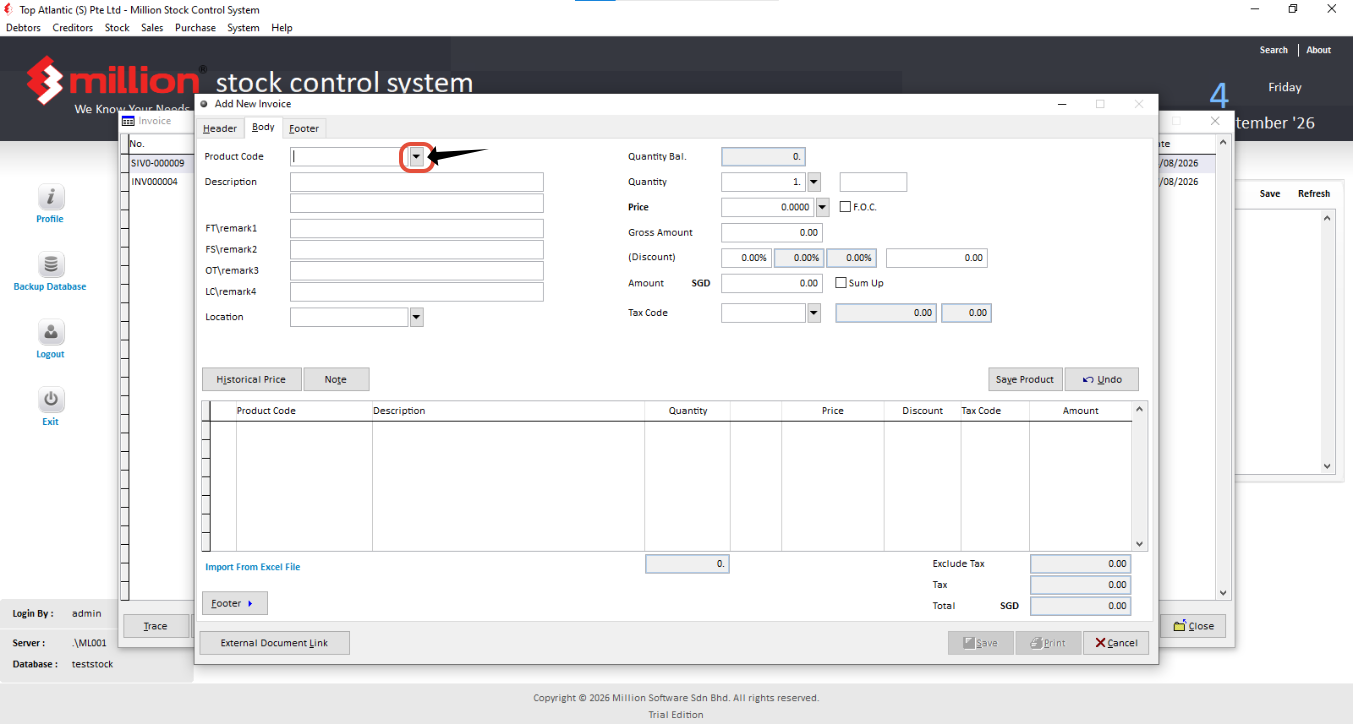
You can Click on this button to check about the product
You can click on the product code then directly key in the product code inside to find the specific product
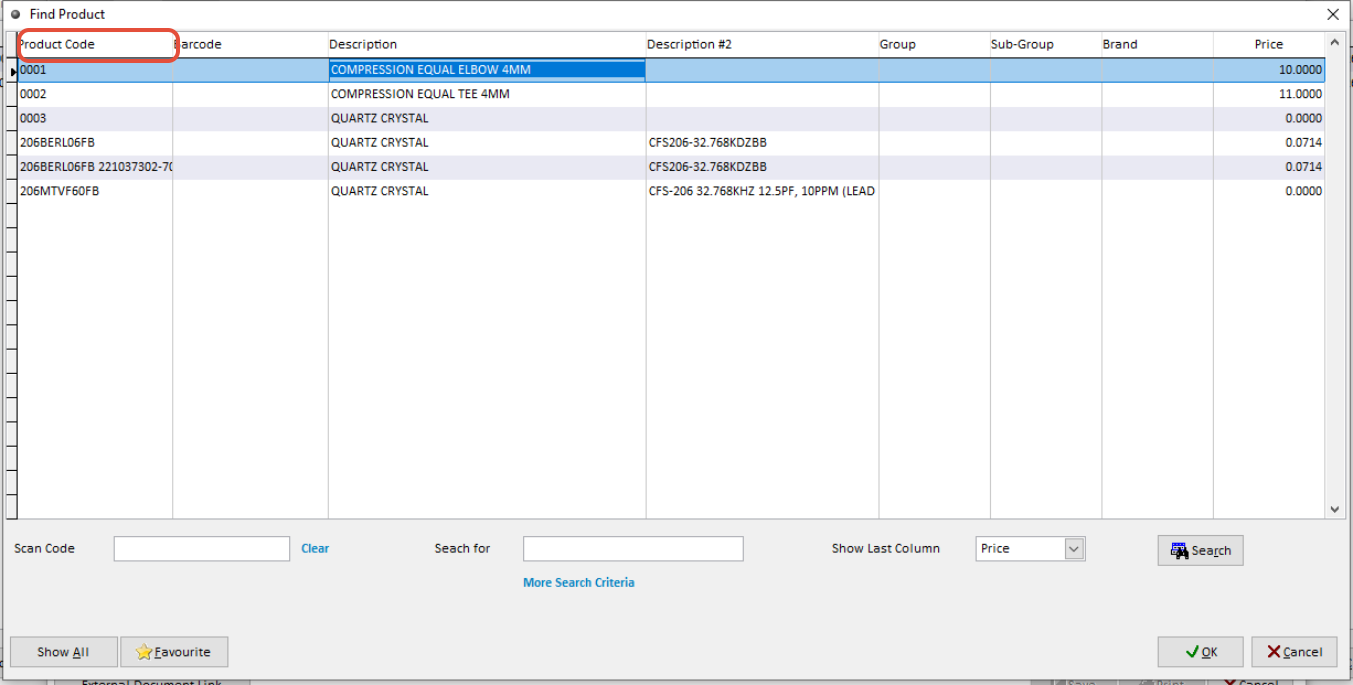
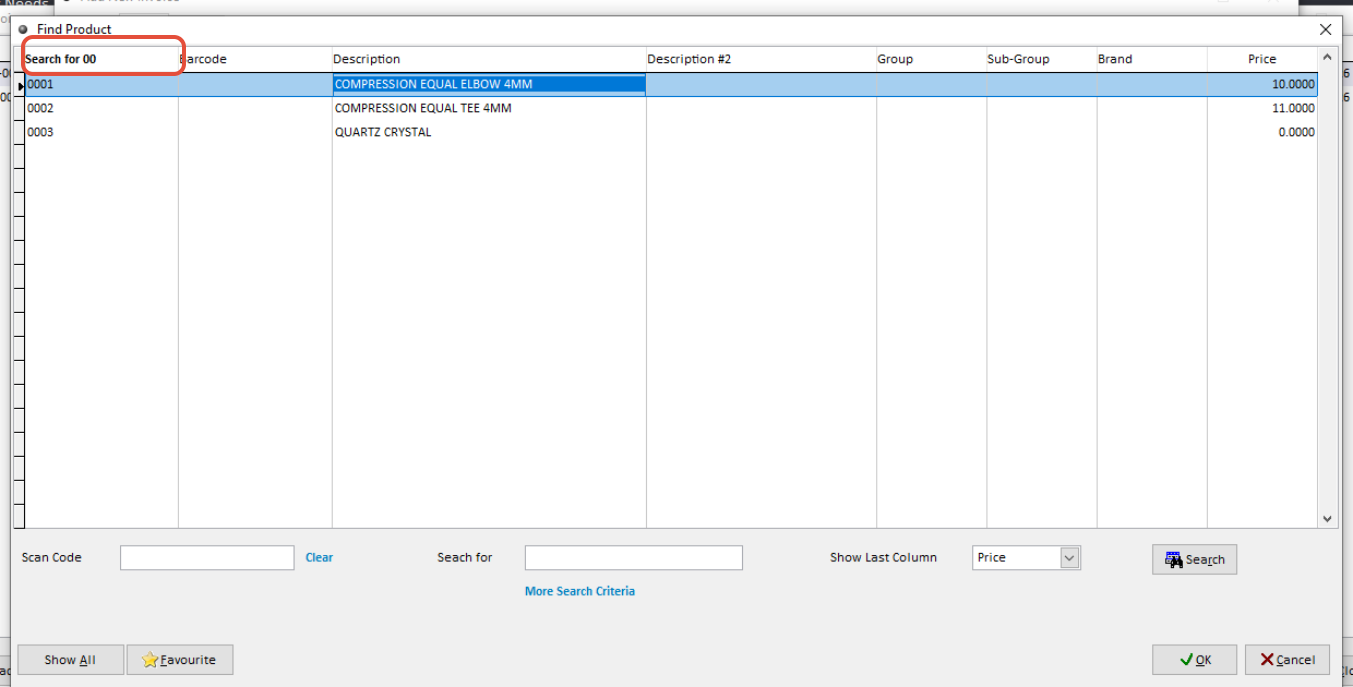
If also not found, you can go back to product code to check got the specific product,
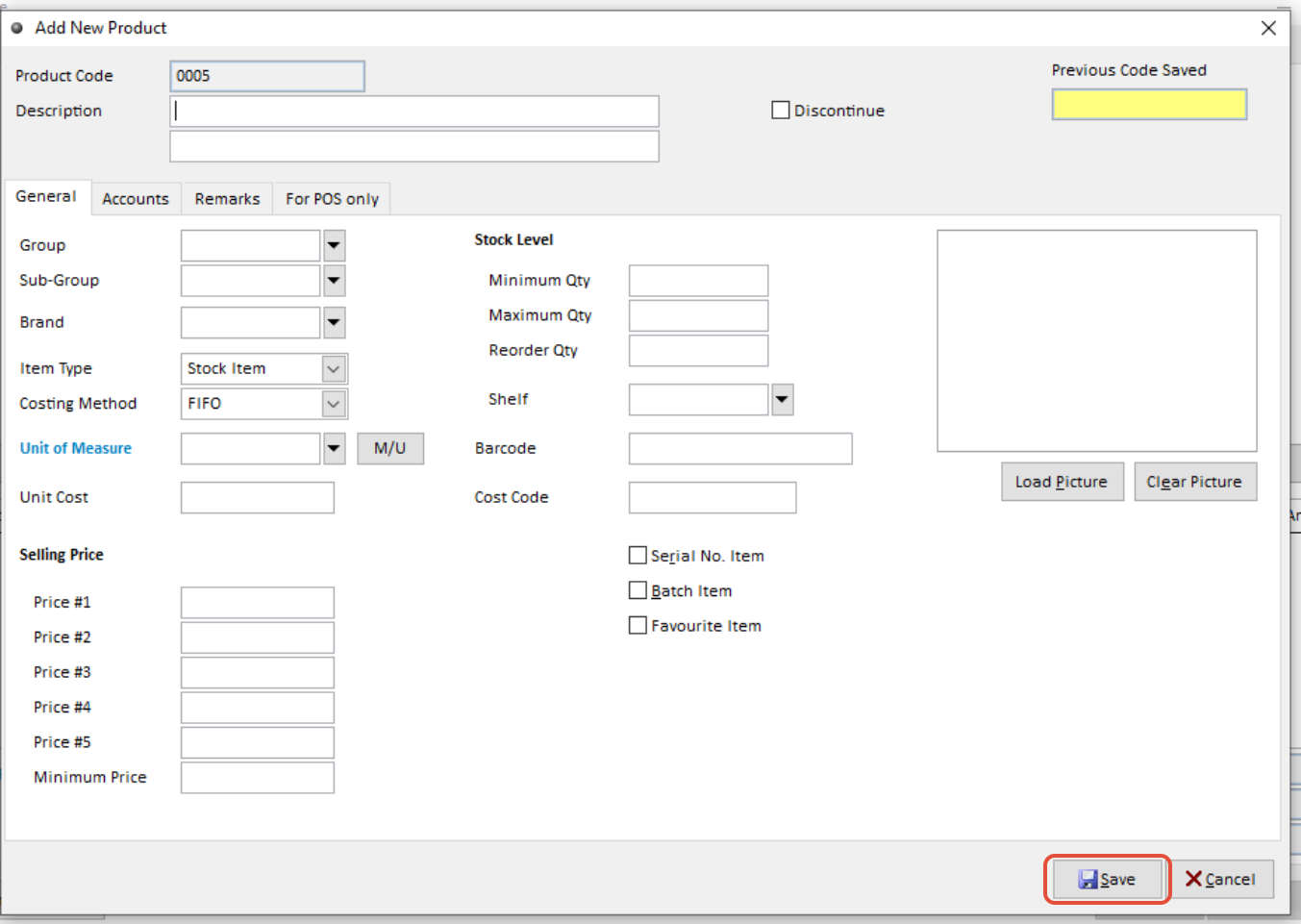
Also, you can directly create from here.
1. Click Yes
2. Key in the Information. After done, Click save.