
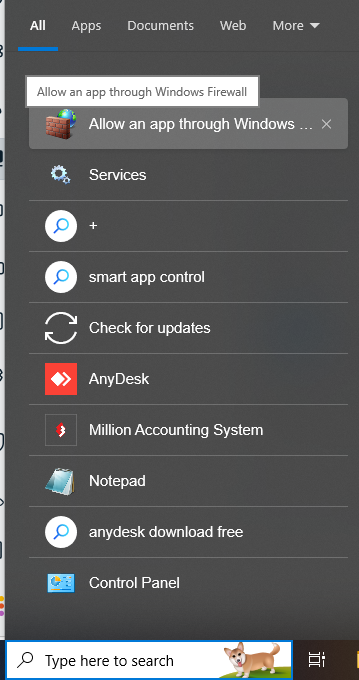
1. Search -> Allow an app though Windows Firewall
2. In the page, Click Change settings -> Click Allow another app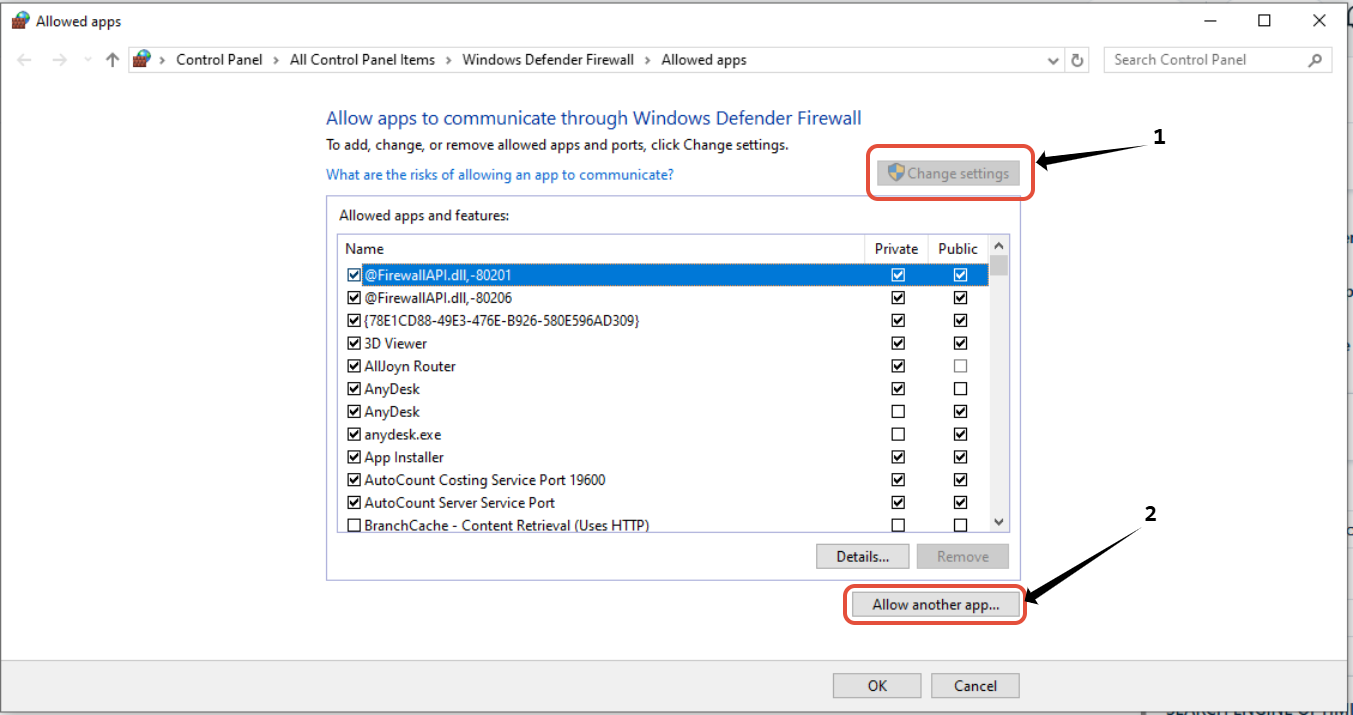
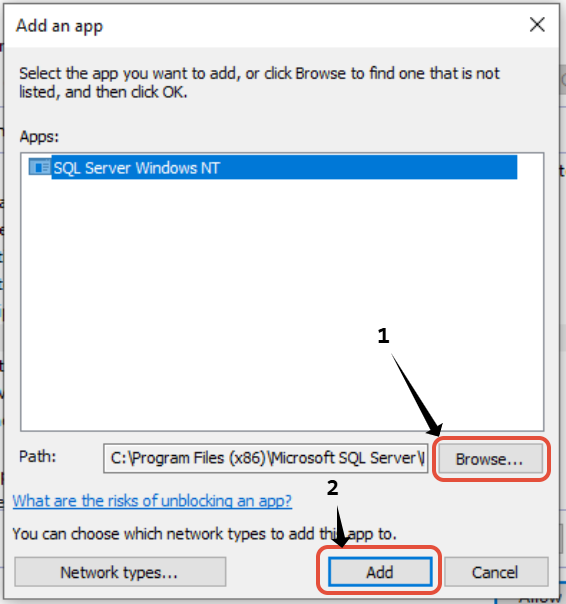
3.Click browser -> Find
C:\Program Files (x86)\Microsoft SQL\ Server\MSSQL.ML001\MSSQL.1\MSSQL\Binn\sqlservr.exe
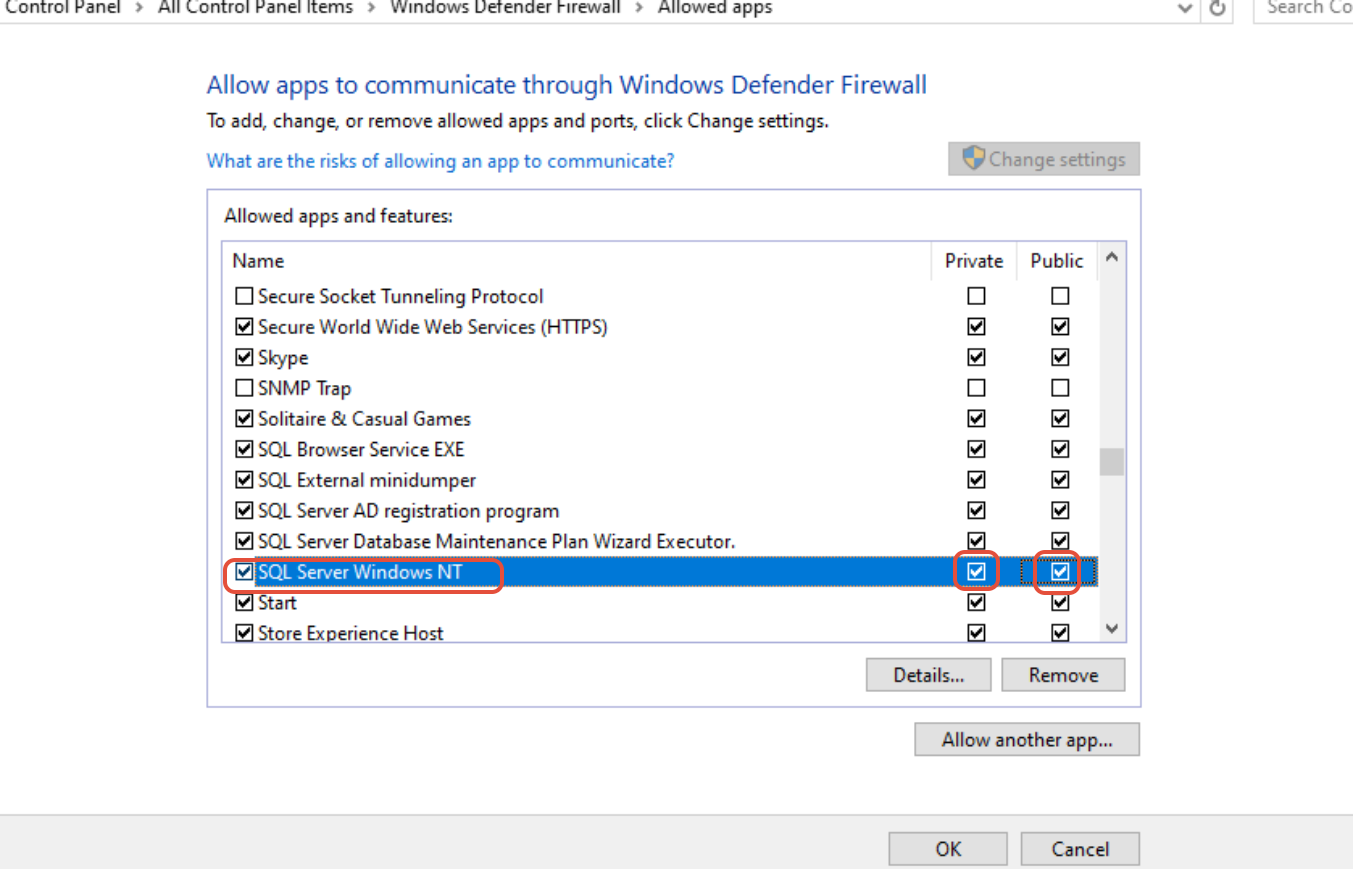
4.After add, click the private and public
also
C:\Program Files\Microsoft SQL Server\90\Shared\sqlwriter.exe
C:\Program Files (x86)\Microsoft SQL Server\90\Shared\sqlbrowser.exe
process those step one by one
extra, for antivirus, find out specific application or the app you using and close it