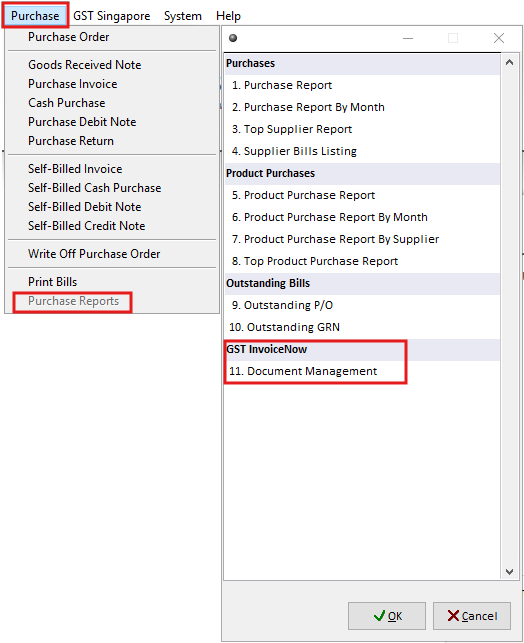
Step 1: Open Document Management
Navigate to Purchase > Purchase Reports > GST InvoiceNow > 11. Document Management
Step 2: Find the Transaction
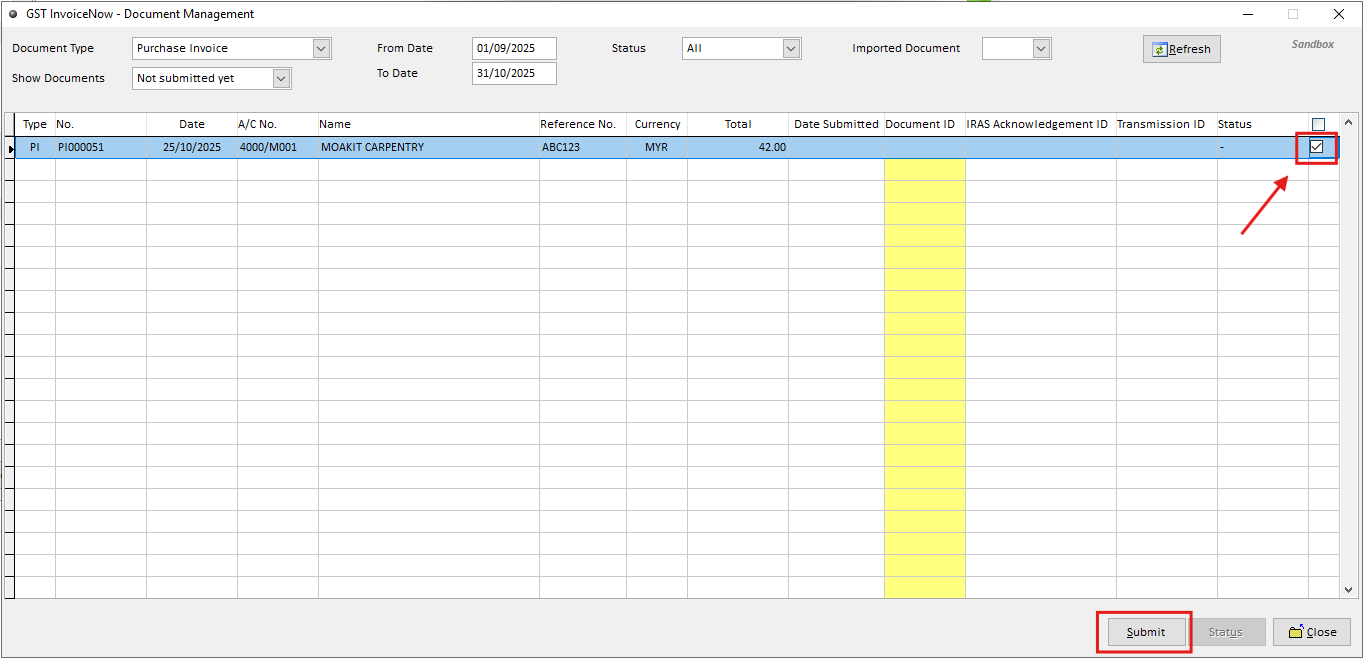
Use the available filters to locate the required transaction.
You can filter the list by:
Document Type: Select the document category to display - Invoice, Credit Note, or Cash Sales.
Show Documents: Choose which documents to display:
Both – Shows all submitted and unsubmitted documents.
Not Submitted Yet – Shows documents pending submission.
Submitted – Shows documents that have been submitted.
Date: Filter transactions by a specific date range to display them in the list.
Status: View documents based on their submission status.

Step 3: Submit the Document
Select the required transaction by ticking the checkbox, then click Send to submit it to GST InvoiceNow.