
A Self-Bill Cash Purchase is used to record foreign purchases or expense payments without a supplier code. It can also convert an existing Cash Book - Payment transaction for GST InvoiceNow reporting. These transactions are submitted using the document type PCP (Purchase Cash Payment).
Step 1: Open Self-Billed Cash Purchase
Navigate to: Purchase > Self Billed Cash Purchase
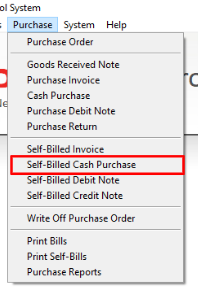
Step 2: Add a New Self-Bill Purchase Invoice
Click Add to create a new Self-Bill Purchase Invoice.
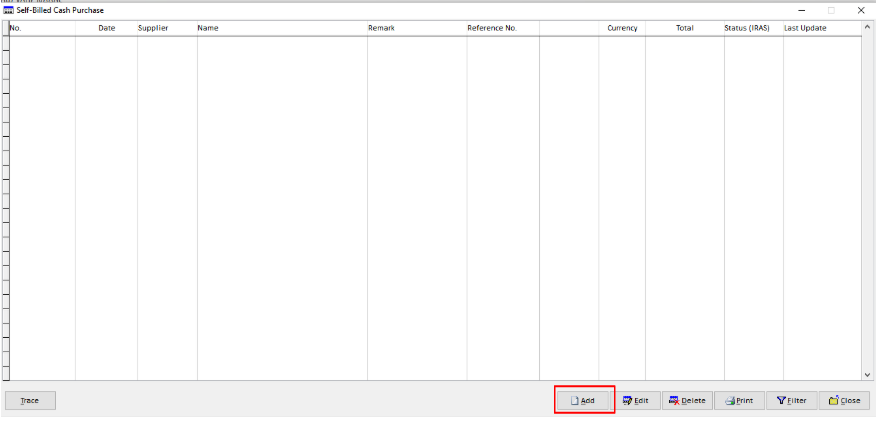
Step 3: Leave the Supplier Code Blank
Leave the Supplier Code field blank. This function can be used for transactions where a supplier code is not maintained in the system.
Step 4: Generate from Cash Book Payment
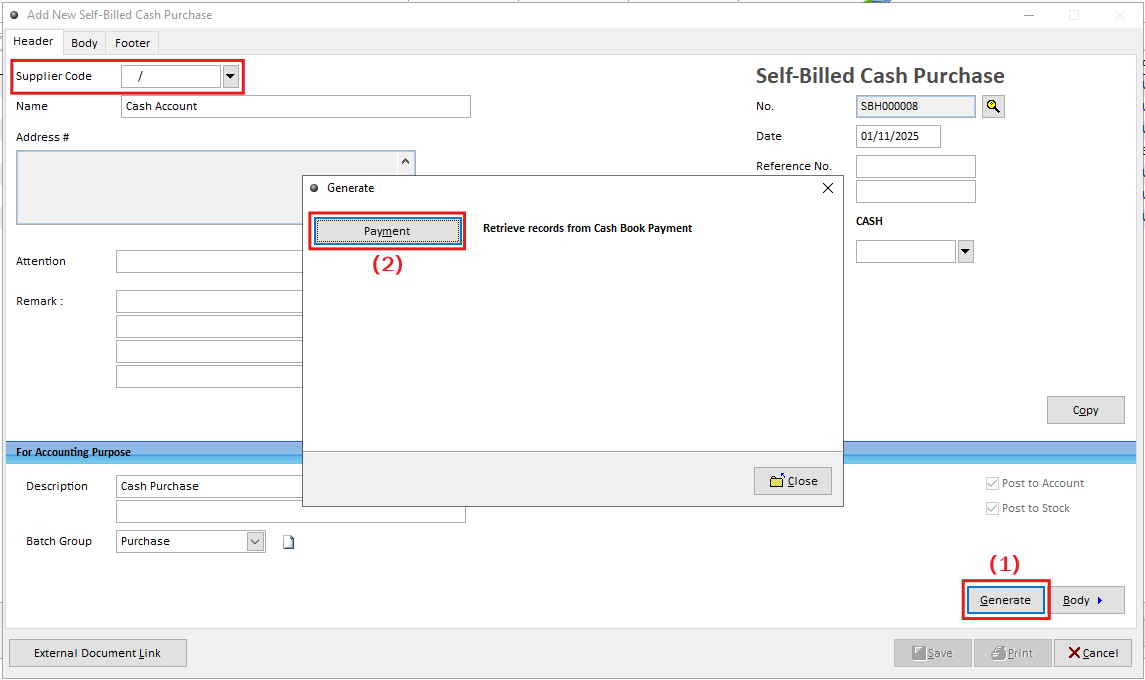
Select the preset Supplier Code, then click Generate (1) to choose the document type to
convert from Cash Book – Payment (2). This allows you to convert an existing Cash Book - Payment transaction into a Self-Bill Cash Purchase.
Step 5: Select the Payment Transaction
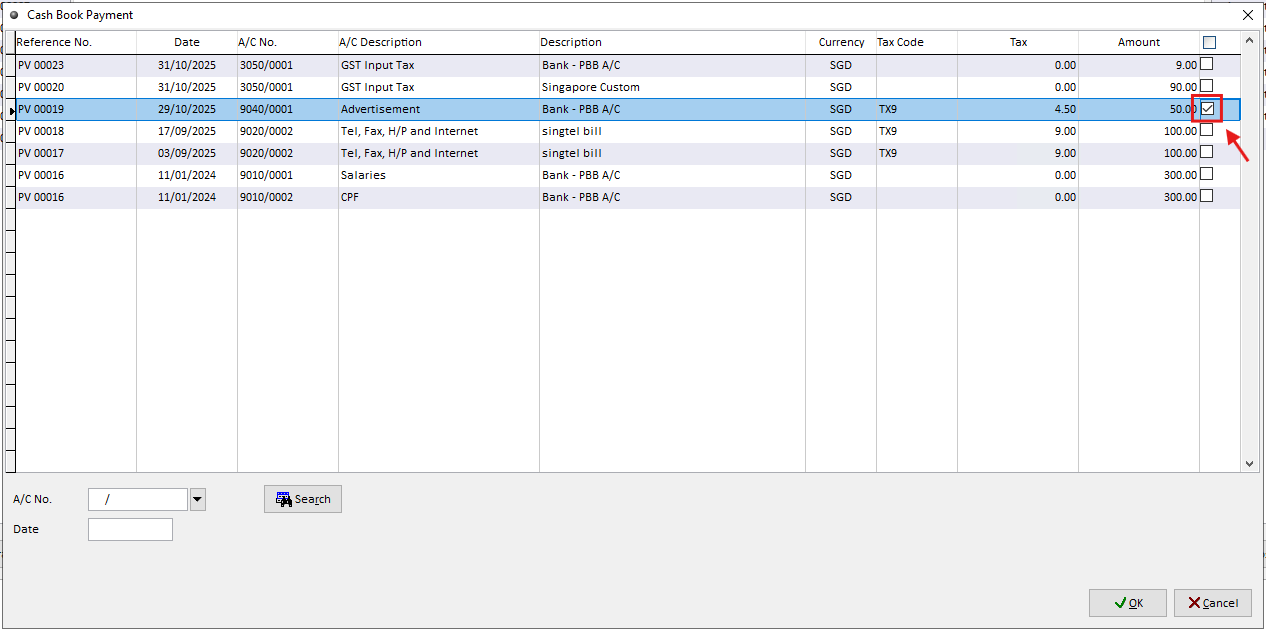
On the Cash Book - Payment screen, tick the checkbox for the transaction you want to convert. Click OK to proceed.
Step 6: Select the Payment Transaction
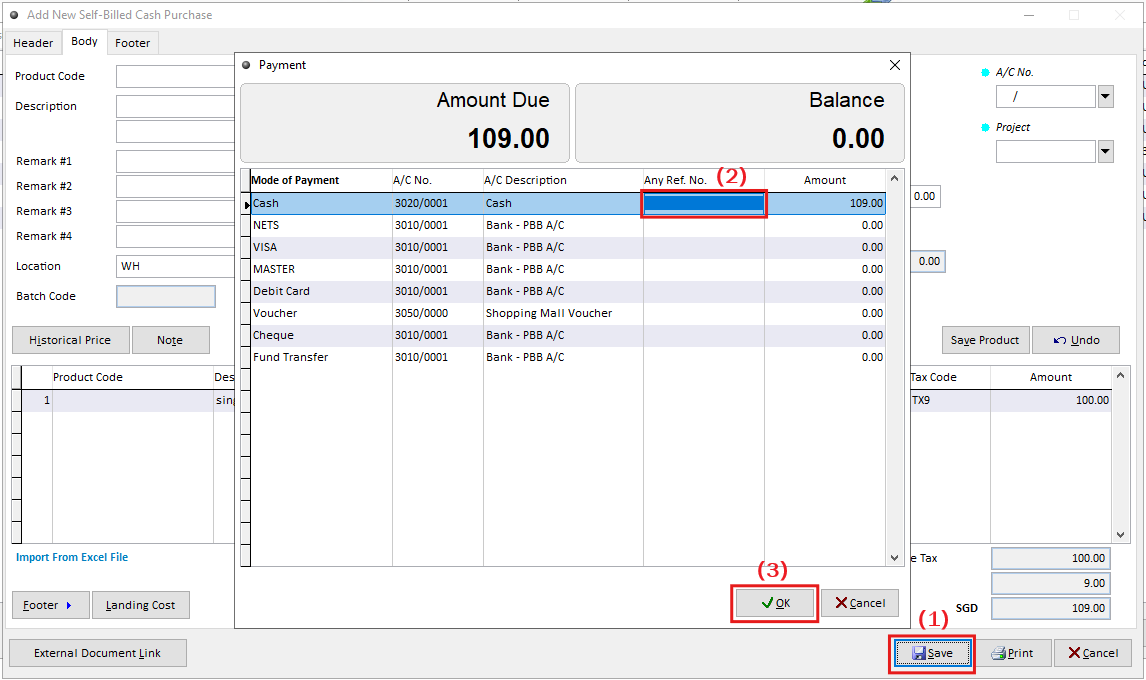
After selecting the transaction, click Save(1) to generate the self-billed cash purchase. When
prompted, enter a reference number(2) to record the payment method, then click OK(3) to proceed.
Step 7: Save and Submit the Cash Purchase
When the system prompts
“Do you want to send the transaction to Access Point?”
Select Yes → The document will be transmitted automatically to GST InvoiceNow.
Select No → The document will not be transmitted immediately and can be submitted later through Document Management.