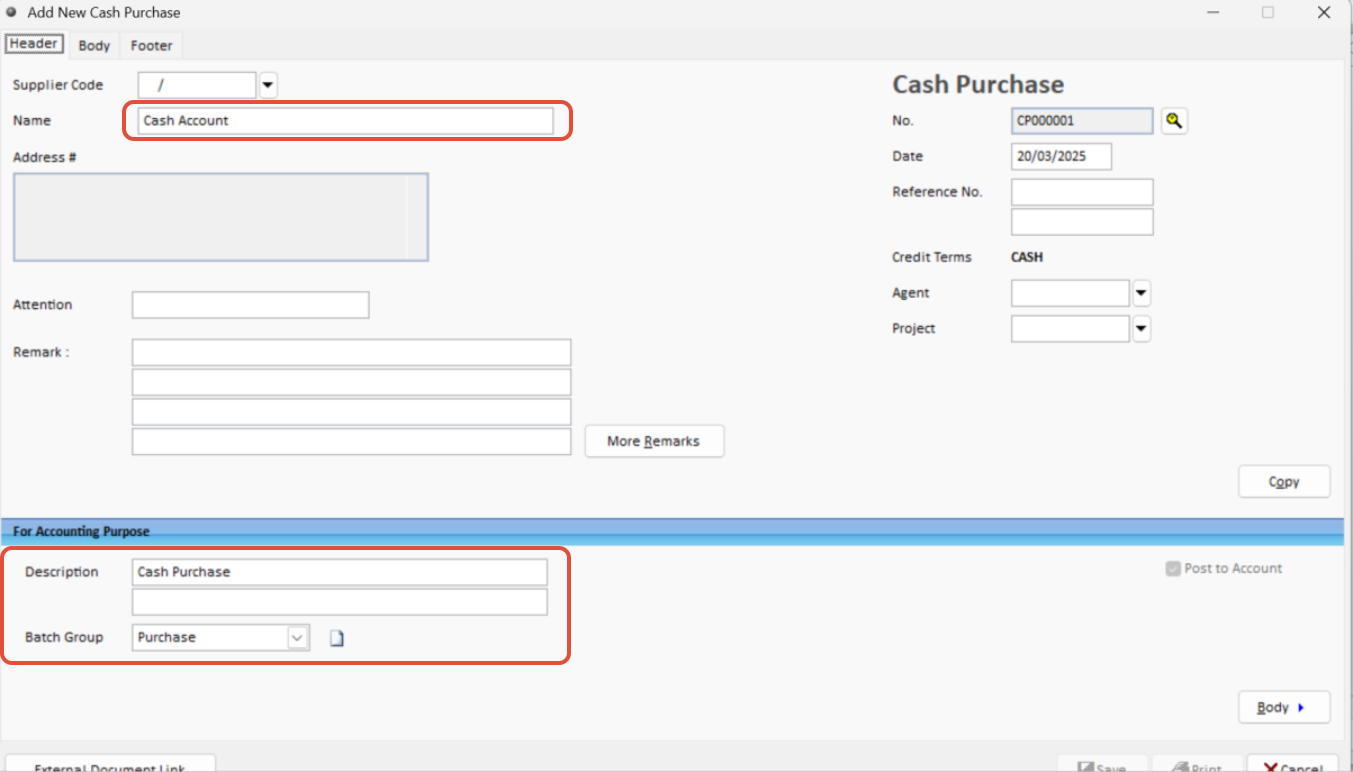
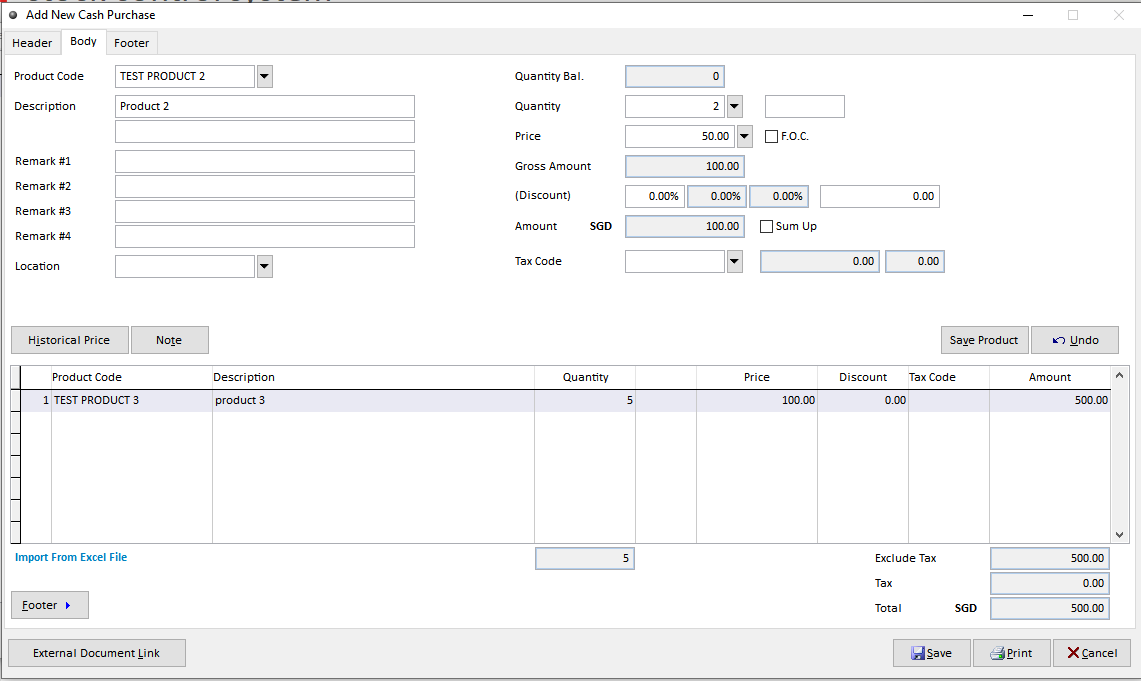
Note: For petty cash purchases (similar to POS transactions):
No supplier is required.
Simply enter the stock items and payment details directly into the form.
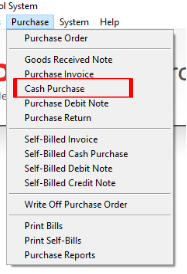
Step 1: Open Cash Purchase
Navigate to Purchase > Cash Purchase
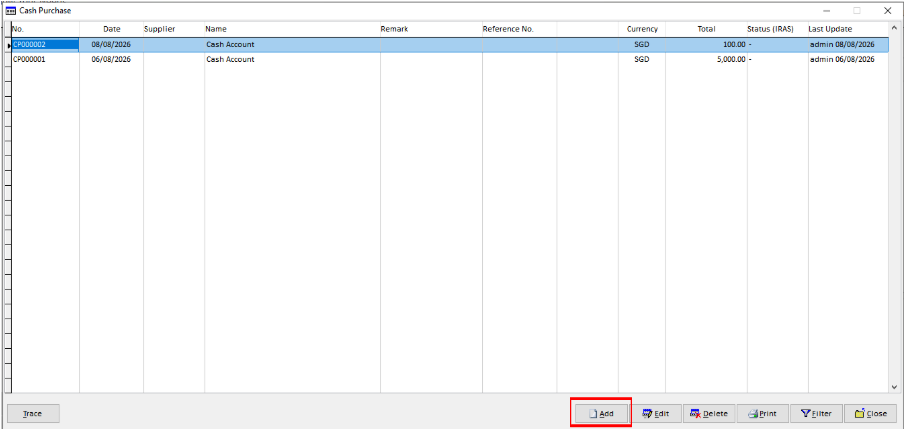
Step 2: Add a New Petty Cash Purchases
Click Add to create a new Cash Purchase transaction.
Step 3: Enter the Purchase Details
For a petty cash purchase, supplier information is not required. Enter the required stock items and payment details directly into the transaction form.