
Step 1: Enter the DataPost API Credentials in Million System
Return to Million System and enter the obtained API Key and API Secret into the corresponding fields. After entering the credentials, click GST InvoiceNow Activation.
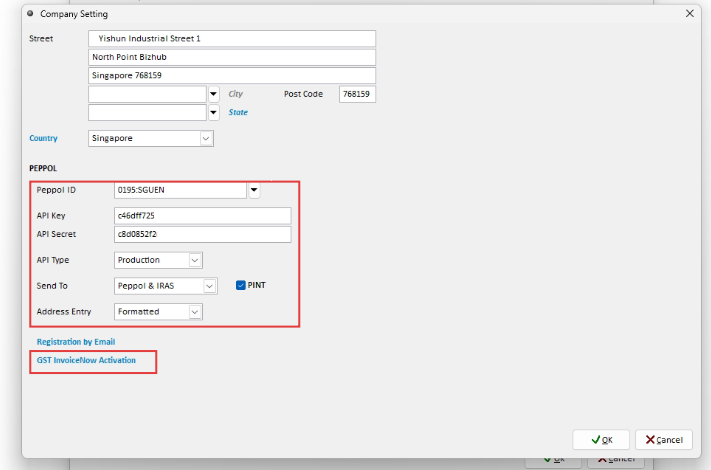
Step 2: Authenticate GST InvoiceNow
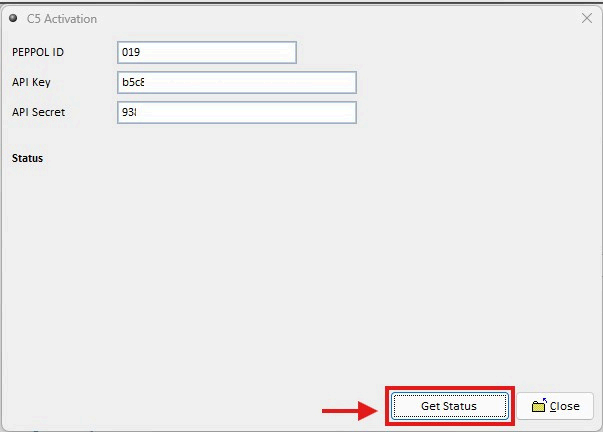
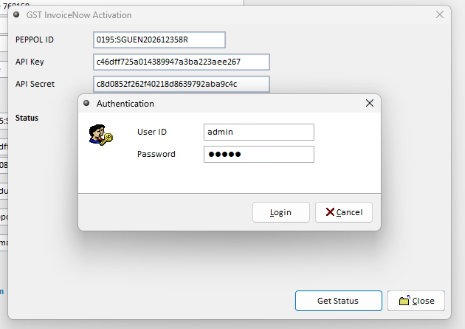
On the GST InvoiceNow Activation screen, click Get Status and proceed with the required Authentication. Complete the authentication process and wait for the status to be updated.
STEP 03
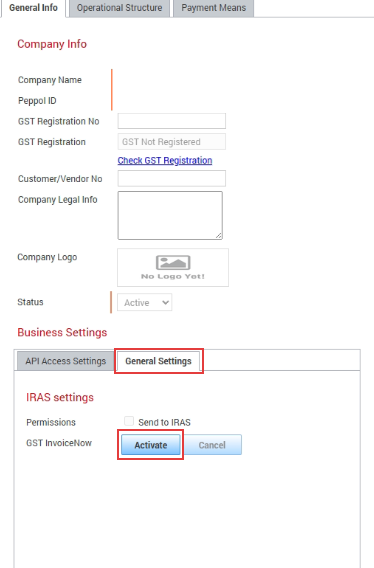
Activate the DataPost Business Settings
Once the status shows Active, return to DataPost and navigate to Business Account Management > Business Settings > General Settings. Click Activate.
STEP 04
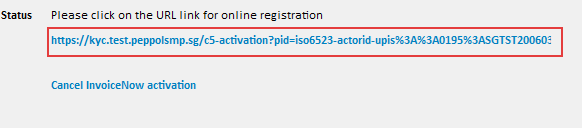
Retrieve the Verification Link
Return to Million Accounting System and click Get Status again. Open the displayed verification link to proceed with CorpPass and Singpass verification.
STEP 05
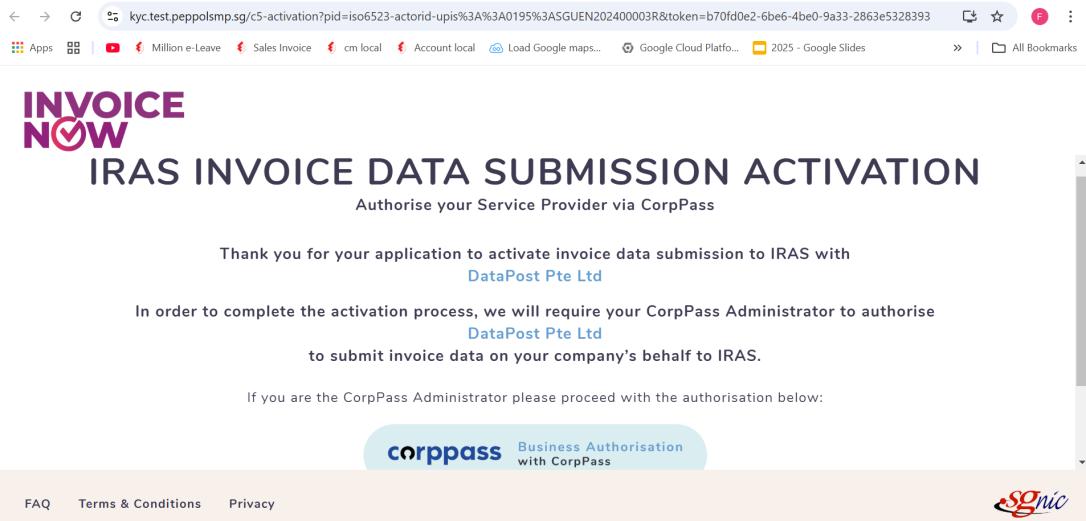
Authenticate with CorpPass
On the verification page, select CorpPass and proceed with the required business authentication.
STEP 06
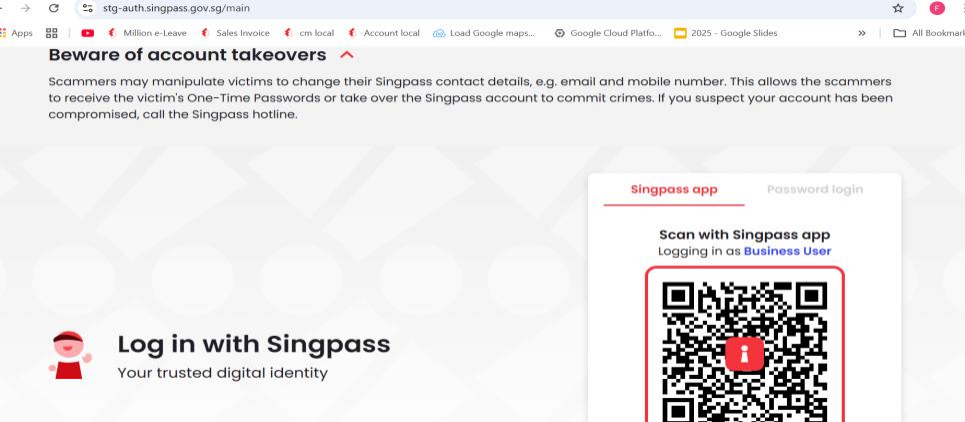
Complete Singpass Verification
Follow the browser instructions and complete the required Singpass identity verification. After verification is completed, return to Million Accounting System.
STEP 07
Verify GST InvoiceNow Activation
Click Get Status again and confirm that GST InvoiceNow has been successfully activated.
STEP 08
Verify the Send to IRAS Permission
Return to DataPost and navigate to Business Account Management > Business Settings > General Settings. Under Permissions, confirm that Send to IRAS is enabled.
Important
Ensure that Send to IRAS is enabled so that the required transaction data can be submitted to IRAS through GST InvoiceNow.