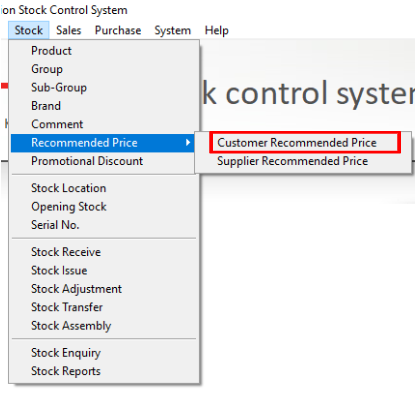
Step 1: Open Customer Recommended Price
Navigate to Stock > Recommend Price > Customer Recommended Price.
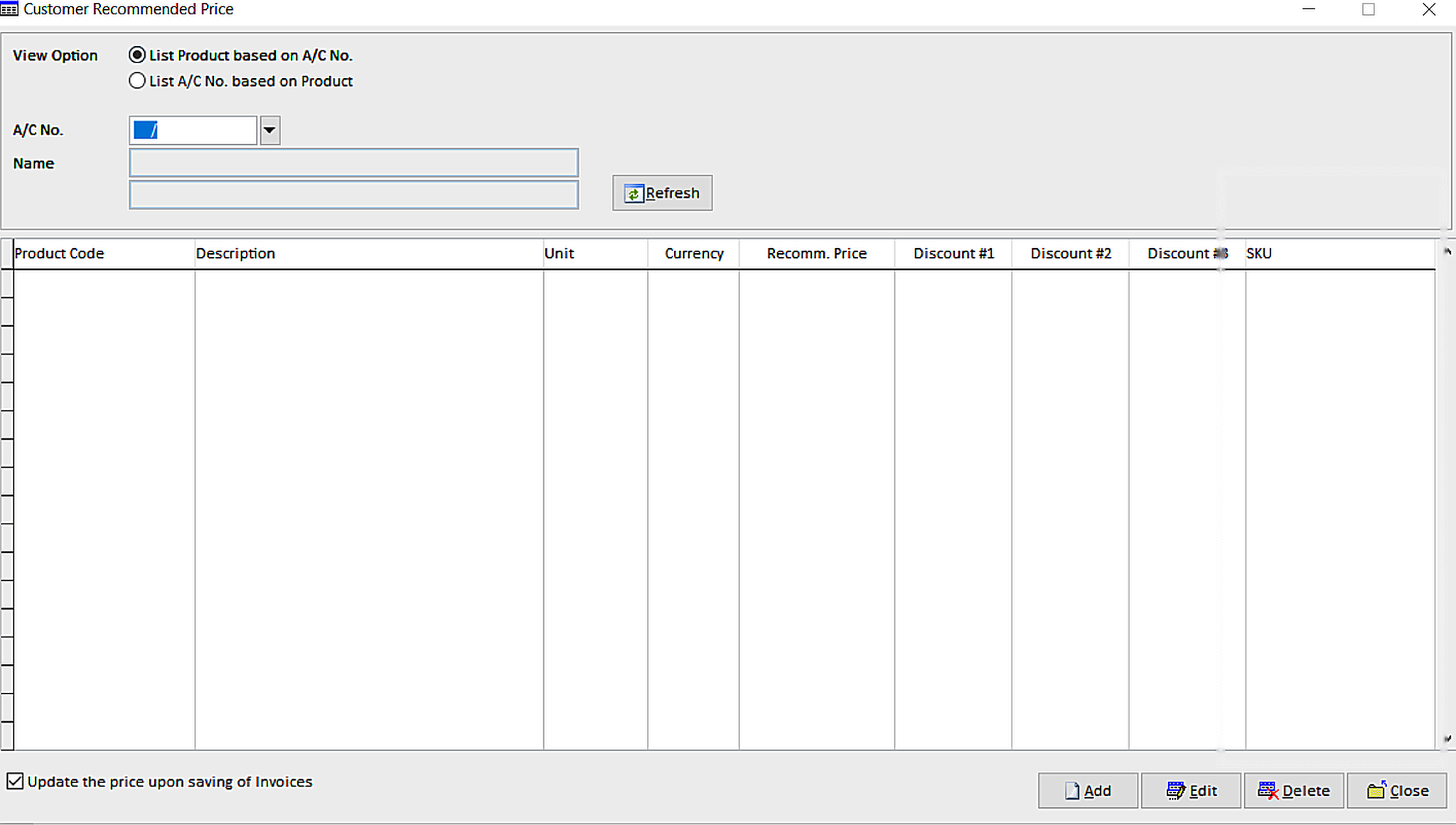
Step 2: Create a New Customer Recommended Price
Click Add to create a new Customer Recommended Price.
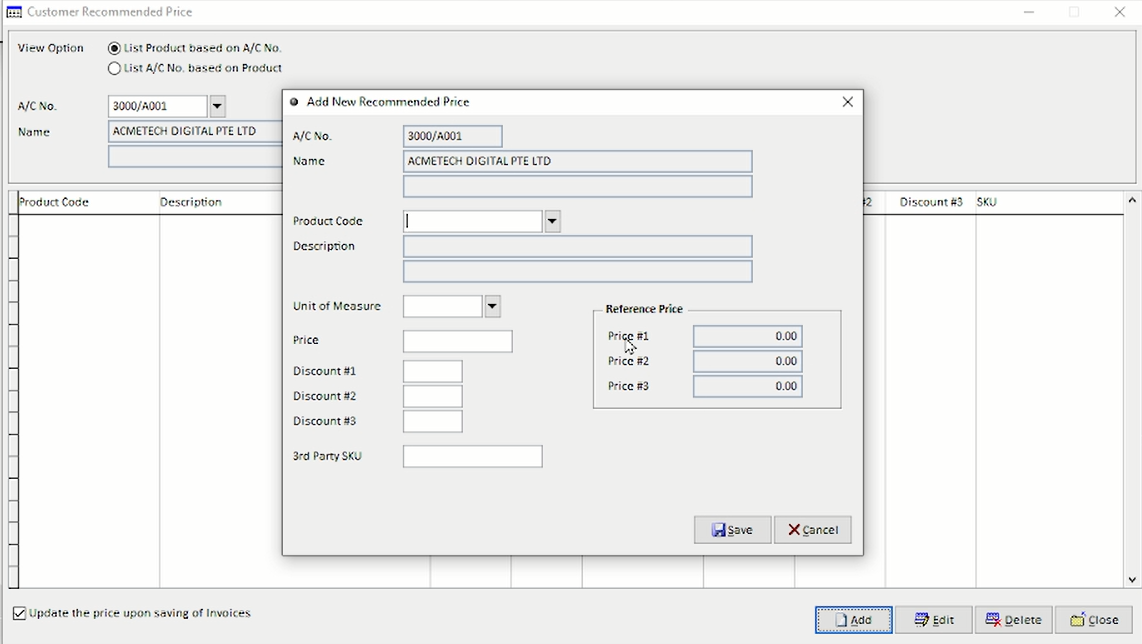
Step 3: Set Up Customer Recommended Price
Select the required Product Code, then enter the recommended price and any applicable discounts for the selected customer. Complete the other product details if required, then click Save.
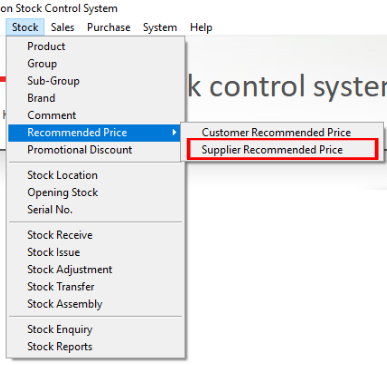
Step 4: Open Supplier Recommended Price
Navigate to Stock > Recommend Price > Supplier Recommended Price.
Step 5: Create a New Supplier Recommended Price
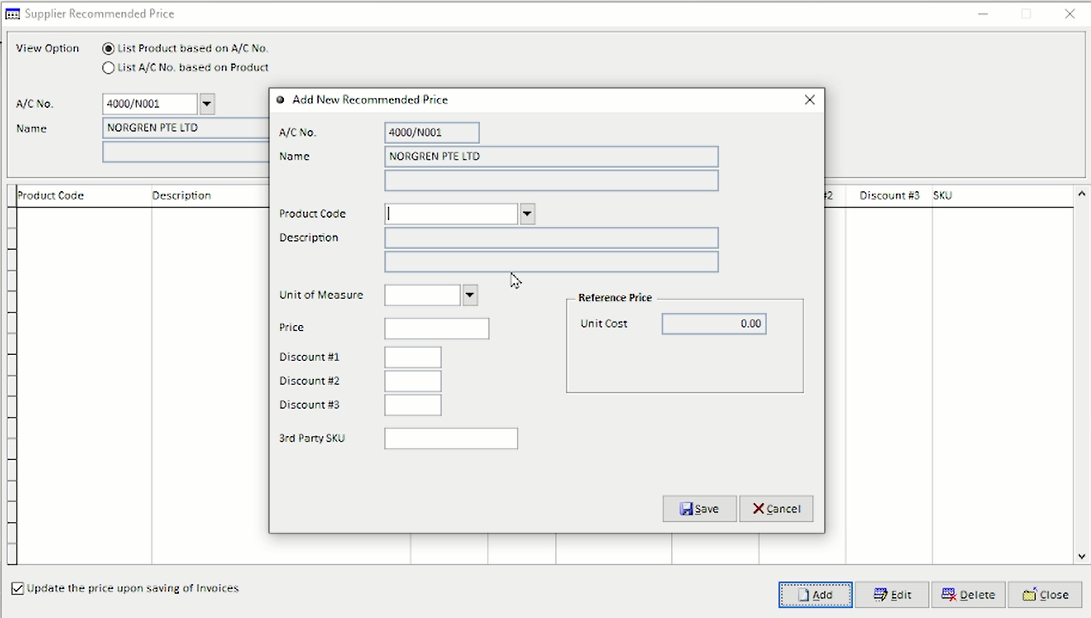
Click Add to create a new Supplier Recommended Price.
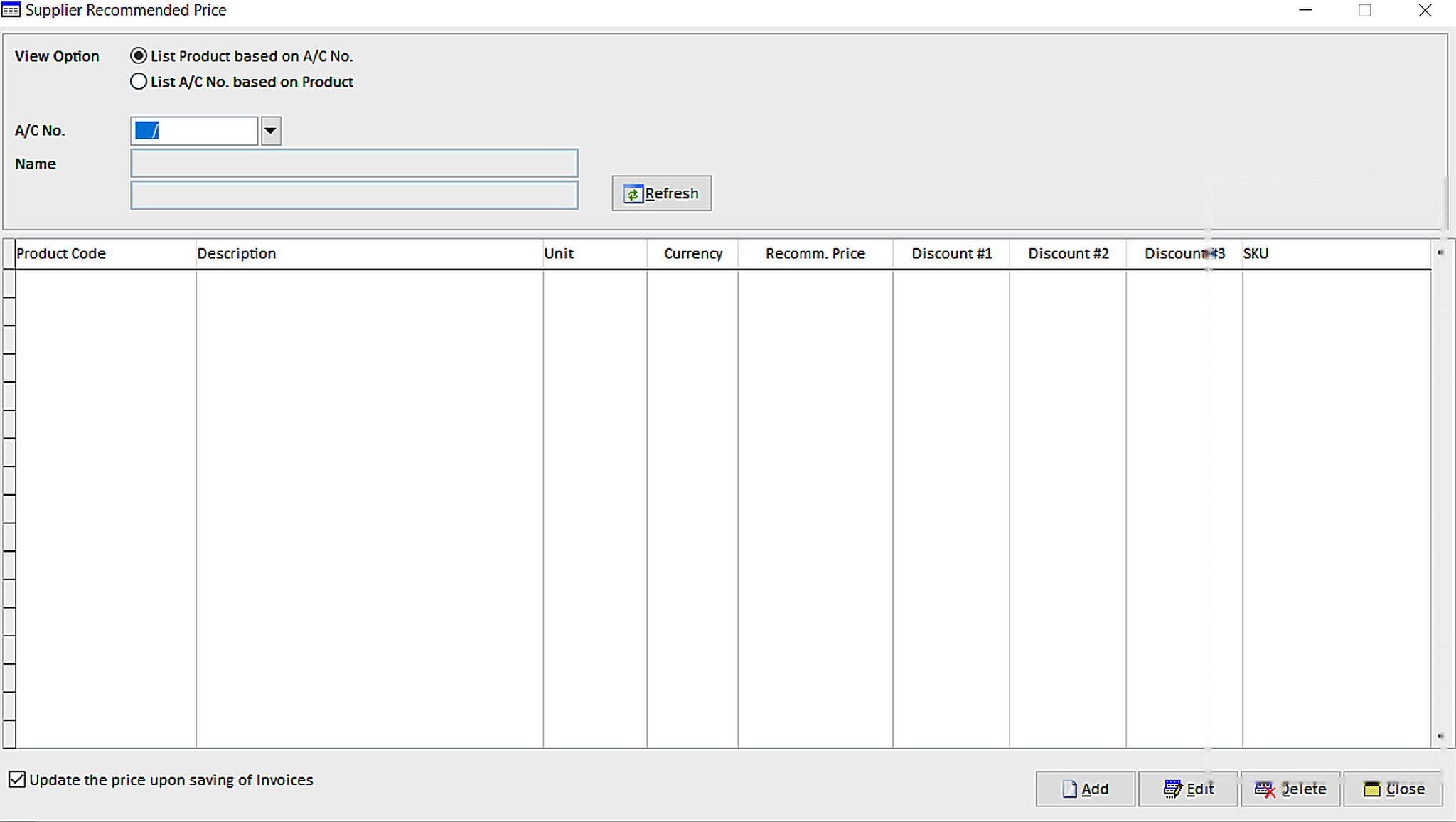
Step 6: Set Up Supplier Recommended Price
Select the required Product Code, then enter the purchase price and any applicable discounts provided by the supplier. Complete the other product details if required, then click Save.