Step 1: Open Sales Invoice
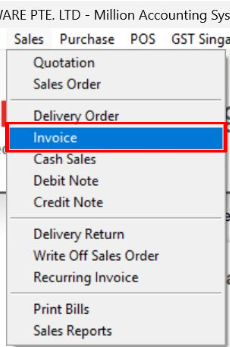
Navigate to Sales > Invoice
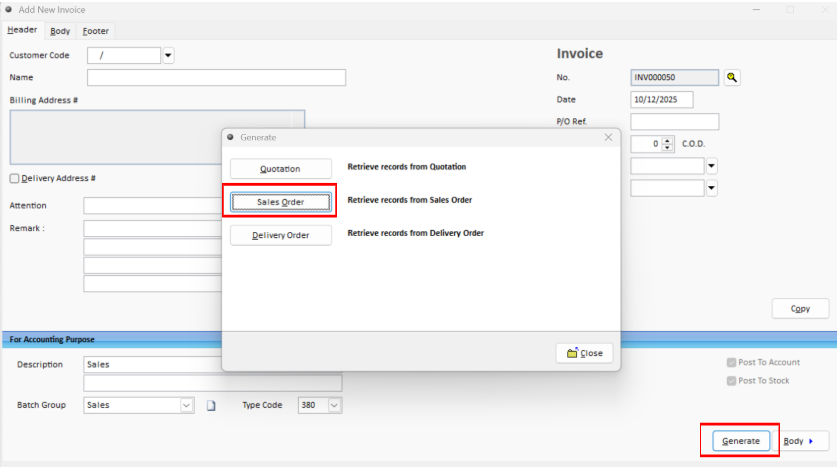
Step 2: Retrieve a Sales Order
Click Generate and select Sales Order.
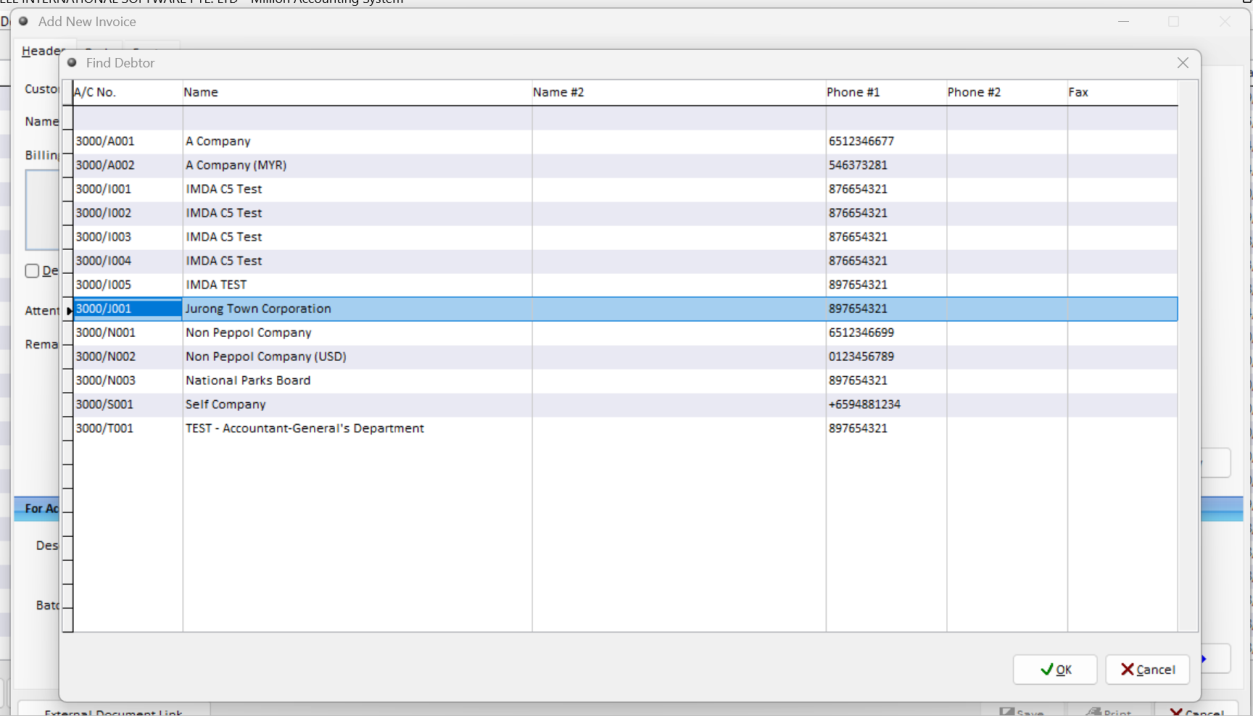
Select the Debtor for the Sales Order you want to convert into an invoice.
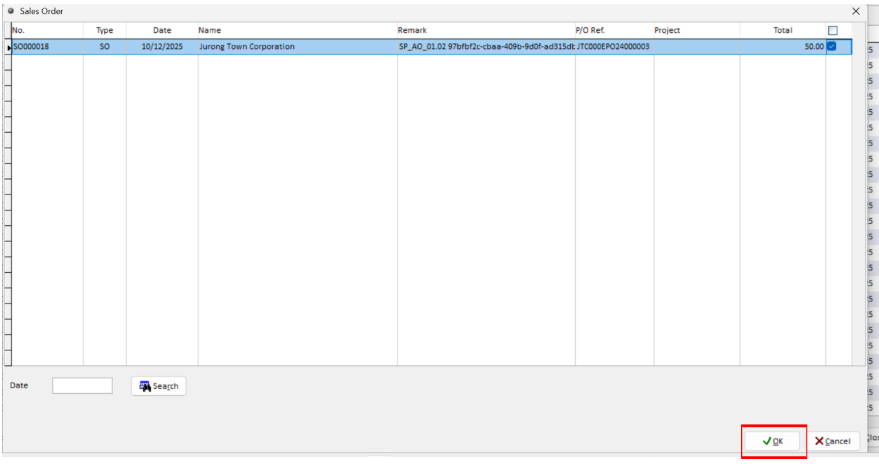
Step 4: Select the Sales Order
Tick the checkbox beside the required Sales Order, then click OK.
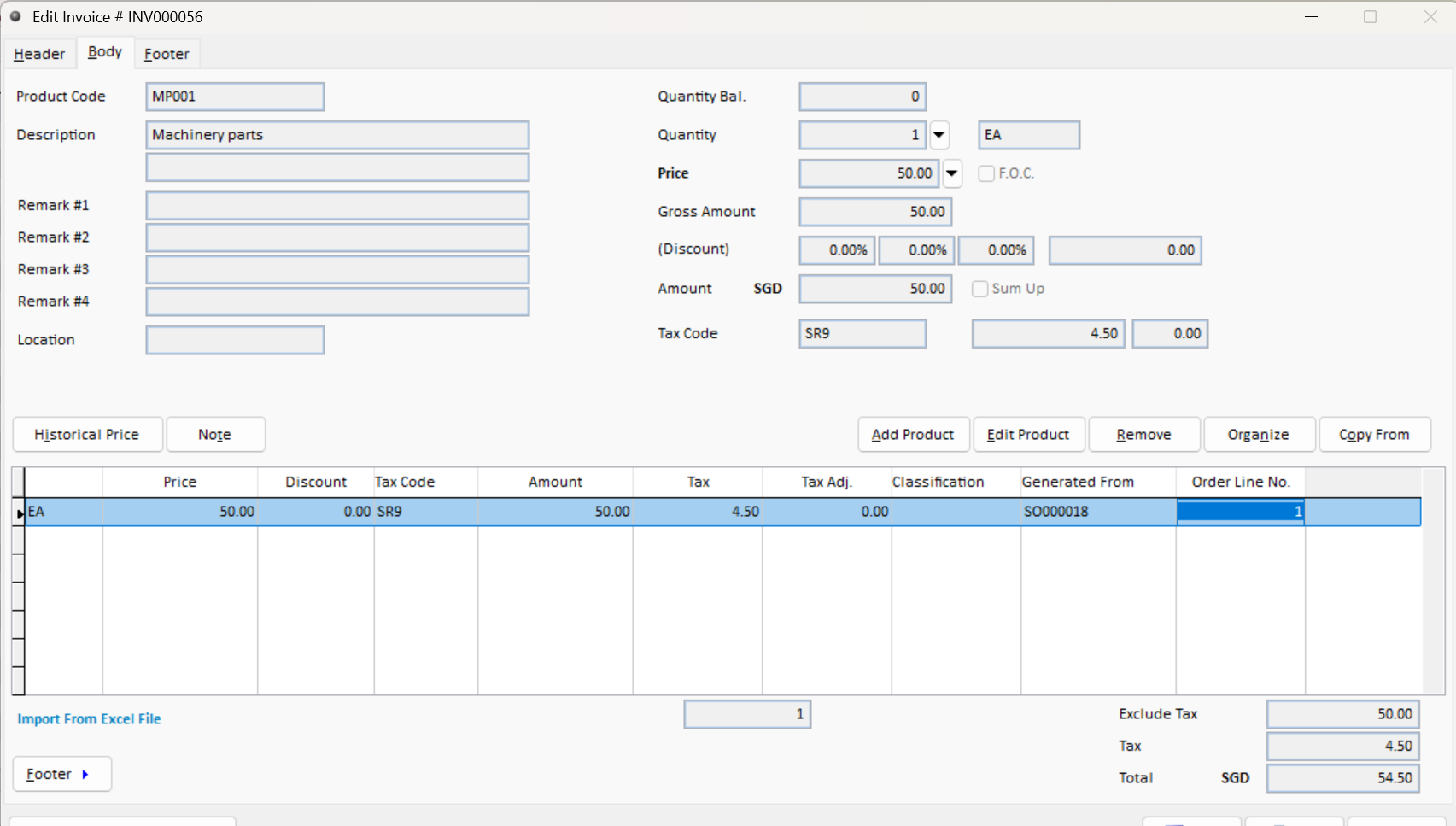
Step 5: Review the Generated Sales Invoice
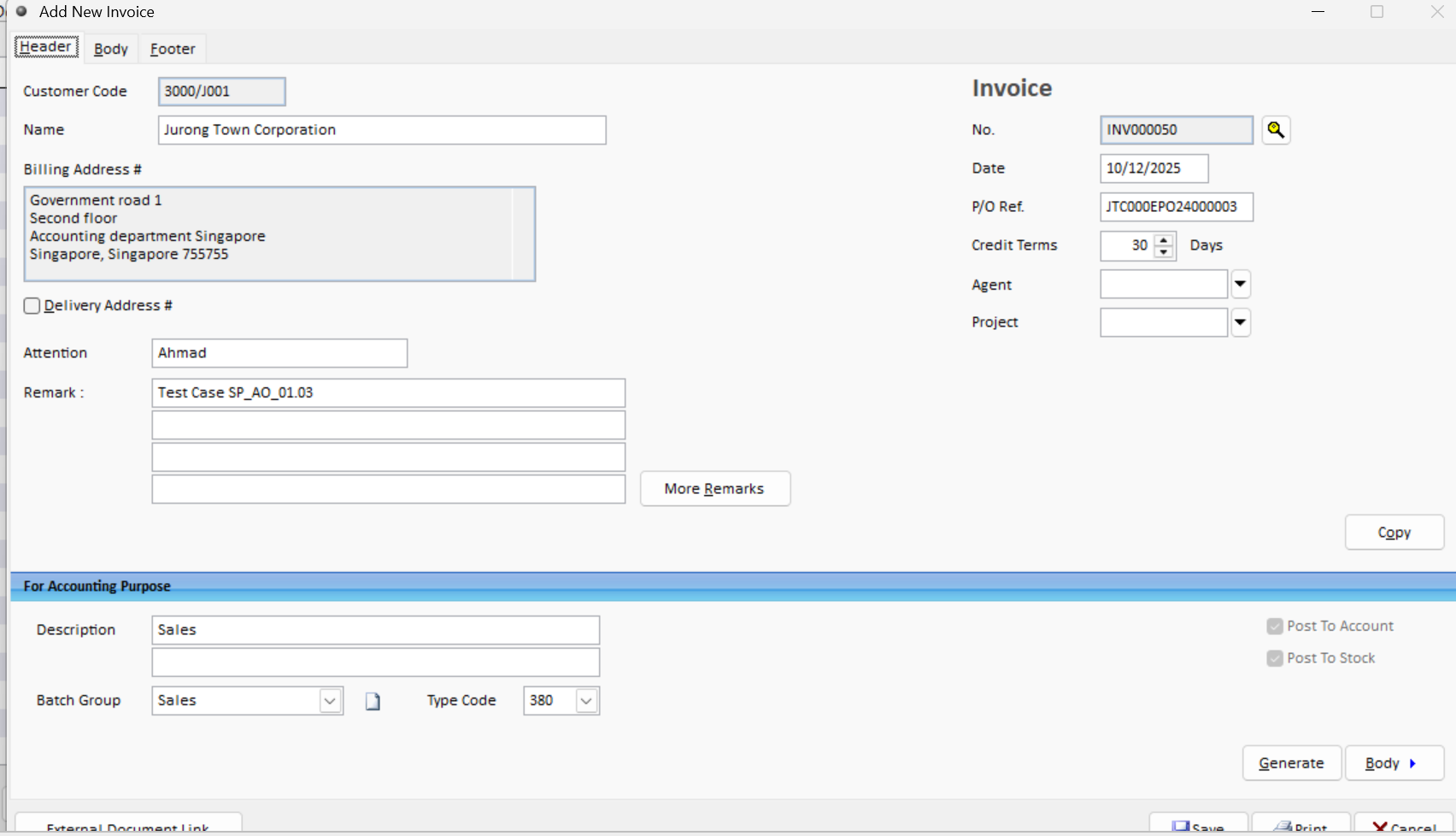
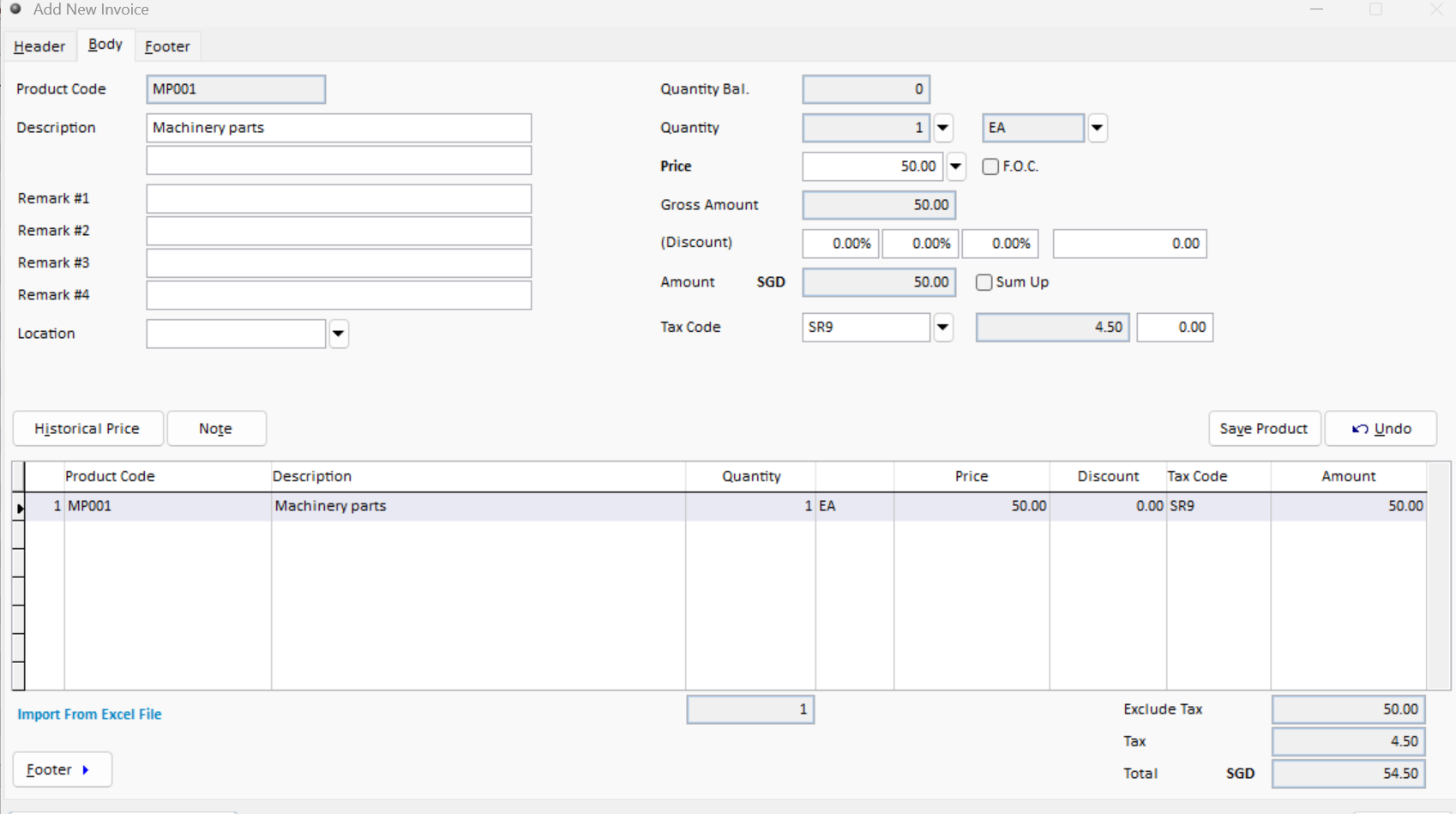
The selected Sales Order details will automatically be converted into a Sales Invoice.
Review the generated invoice information.
Step 6: Check the Purchase Order Line Reference
Scroll to the right in the product line.
The Purchase Order line reference will be displayed under the Order Line No. column.