Step 1: Review the Vendors@Gov Requirements
Refer to the Vendors@Gov Technical Guide for the technical requirements for submitting Vendors@Gov(Page 3) Technical Guide
Government InvoiceNow invoices.
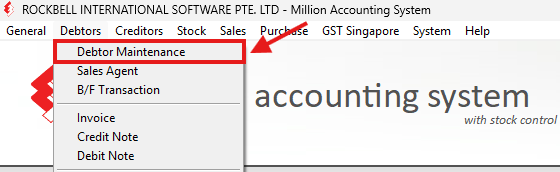
Step 2: Open Debtor Maintenance
To enable sales transactions in compliance with Peppol standards, you must configure customer profiles accordingly.
Navigate to Debtors > Debtor Maintenance
Step 3: Enter the Customer Information
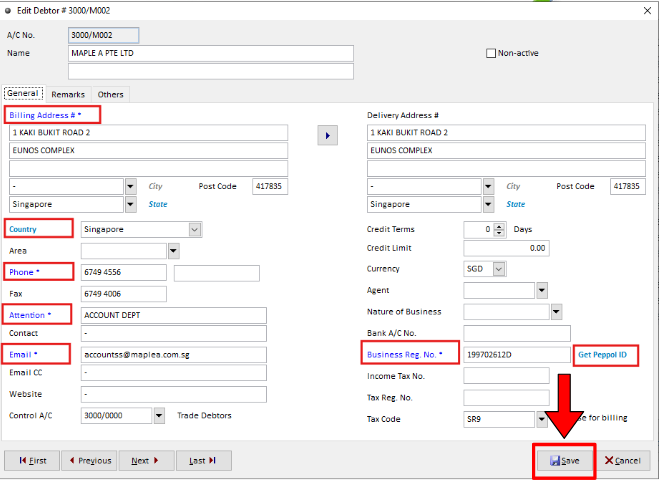
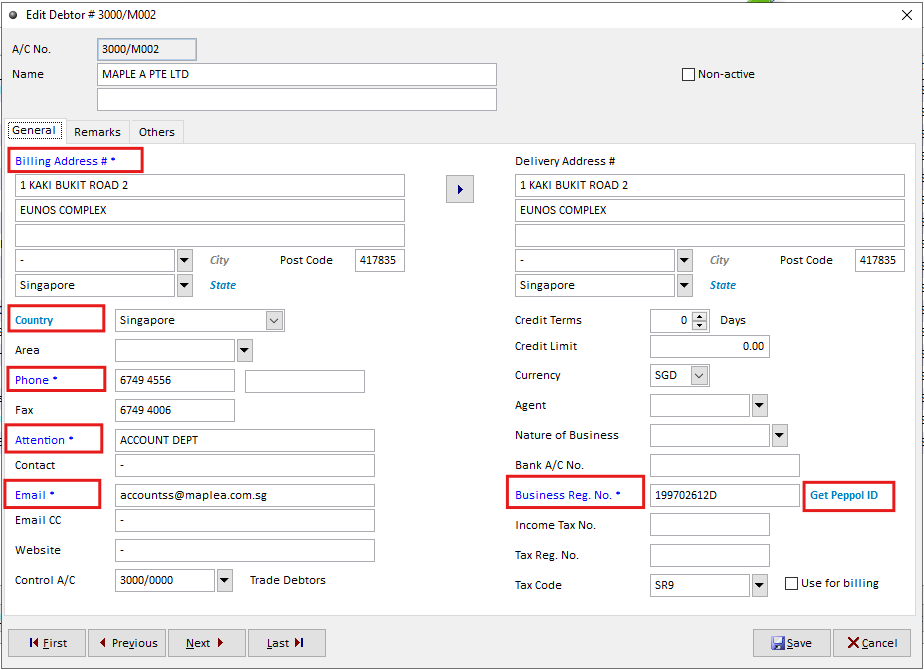
Complete the required customer information in the fields highlighted in blue must ensure all required Peppol-compliant debtor details are properly entered
Enter the customer's UEN (Business Registration No.).
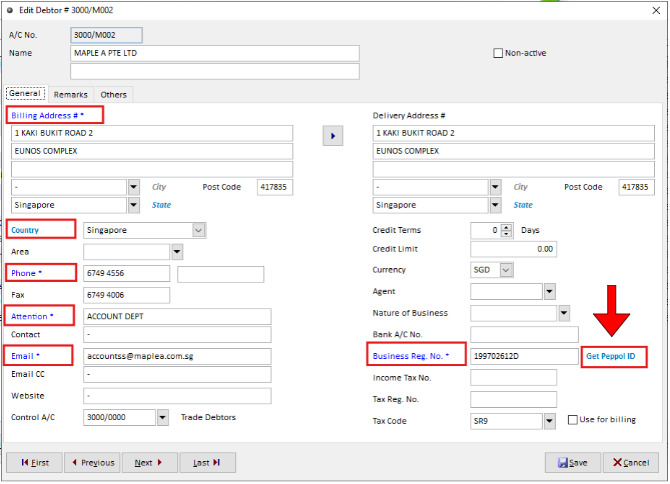
Step 4: Retrieve the Peppol ID
Click Get Peppol to retrieve the customer's Peppol ID using the entered UEN.
The system will automatically capture the Peppol ID from the Peppol directory if available.
Step 5: Enter the Government Customer Details
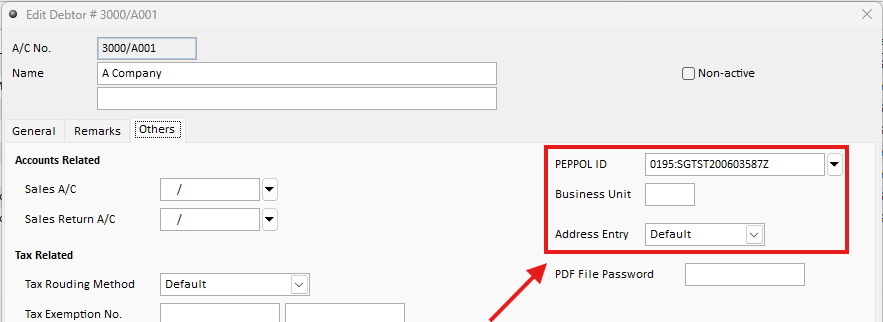
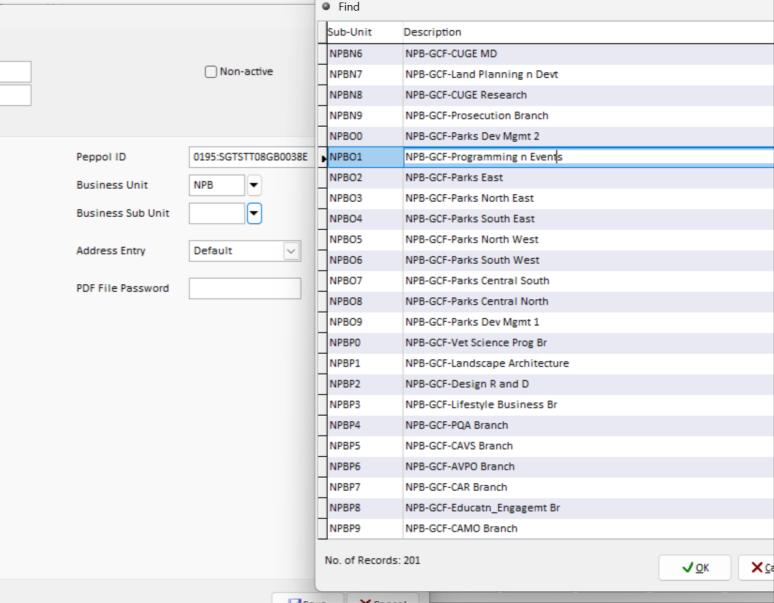
Enter the required including Peppol ID, Business Unit and Business Sub-Unit
Step 6: Save the Customer Profile
Review the customer information and click Save.