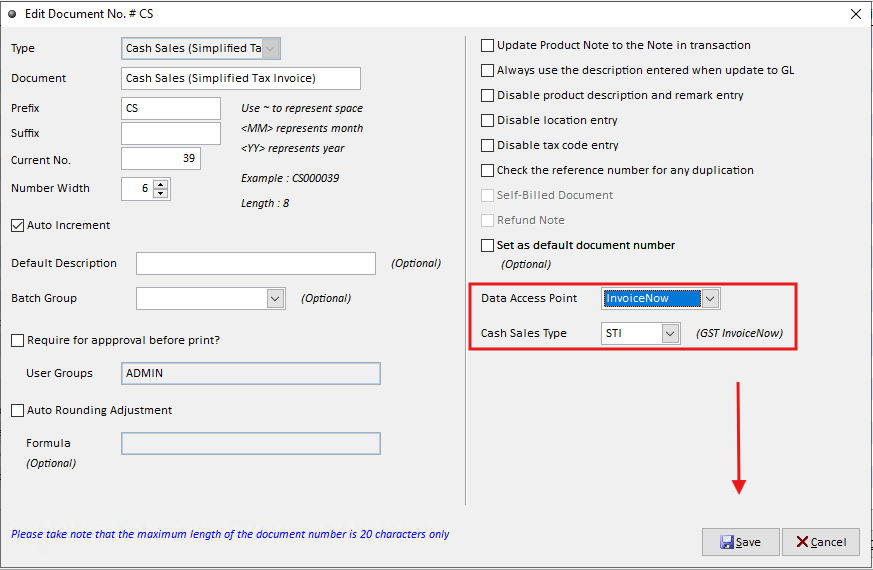
Step 1: Open Administrative Tools
Navigate to System → Administrative Tools.
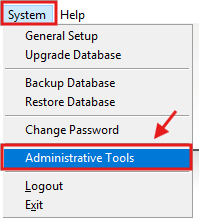
Step 2: Edit the Cash Sales Document Settings
Select Document No. → Cash Sales(STI/POS) → Edit
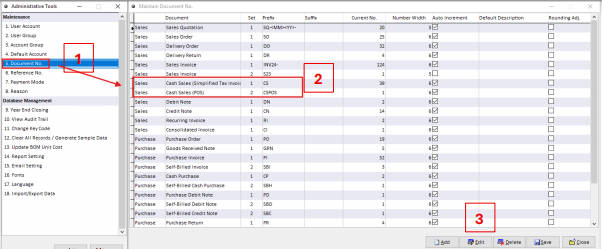
Step 3: Configure the Data Access Point and Cash Sales Type
Set the following options:
Data Access Point – Select InvoiceNow to enable the Cash Sales transaction, the system will automatically post the transaction to GST InvoiceNow.
Cash Sales Type - The Cash Sales Type option allows you to preset the document type for POS (Point of Sale) or STI (Simplified Tax Invoice) transactions.