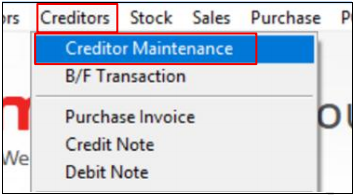
Step 1: Open Creditor Maintenance
Navigate to Creditors > Creditor Maintenance.
Step 2: Enter the Supplier Information
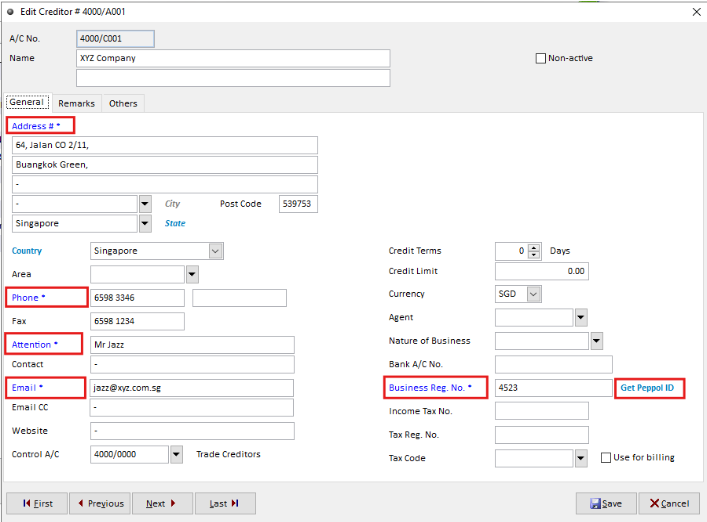
Enter the new creditor (supplier) required company information with the fields highlighted in blue.
Required fields
- Billing Adress
- Country
- Phone
- Attention
- Business Reg. No.
Step 3: Retrieve the Supplier's Peppol ID
For a Peppol customer, enter the supplier’s UEN and can use the “Get Peppol” function when entering the Supplier Company UEN.
The system will search the Peppol directory using the customer's UEN and automatically capture the available Peppol ID.(non-Peppol customer setup in step 5)
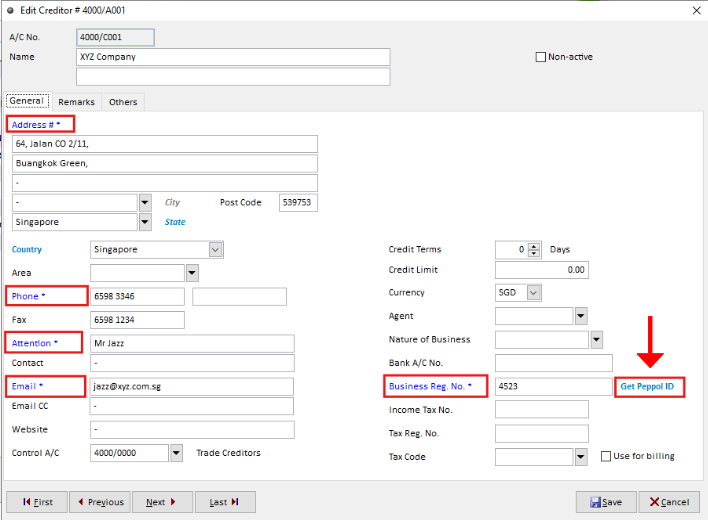
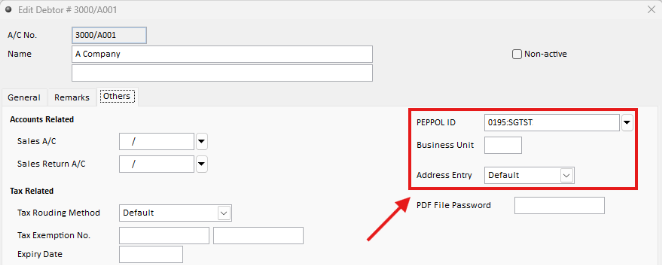
Step 4: Verify that the Peppol ID has been captured correctly.
Step 5: Setup a Non-Peppol Supplier
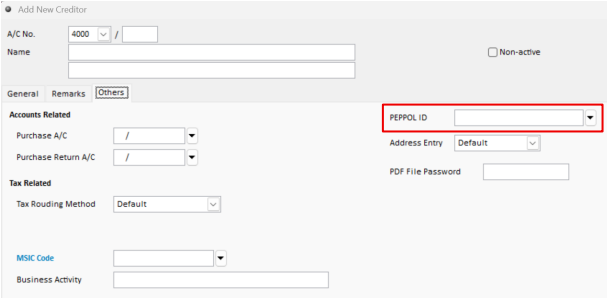
For a non-Peppol customer, leave the Peppol ID field blank (On Tab
“Others”) and instead provide the customer’s Business Registration Number (UEN).