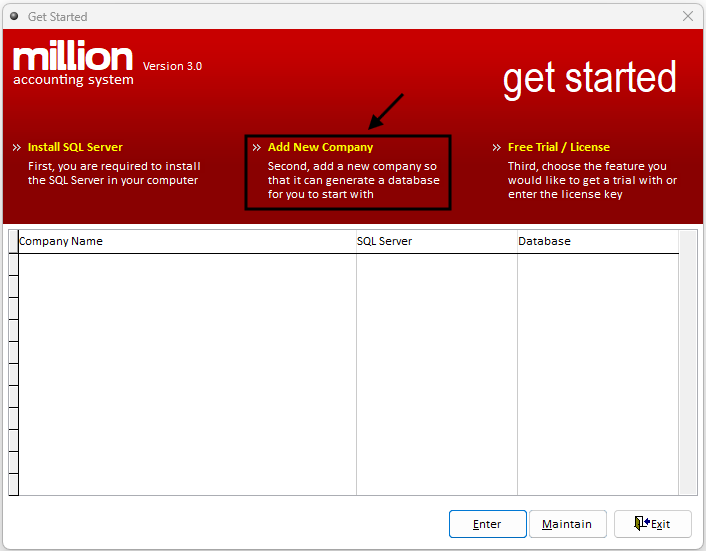
Step 1: Add a New Company
Click Add New Company
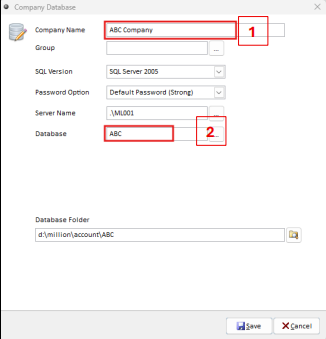
Step 2: Enter Company and Database Details
Enter the Company Name and Database Name in the respective fields
Note: Database names are not allowed to contain symbols or spaces.
Leave the default values for SQL Version, Password Option, and Server Name unchanged.
And Click Save to proceed
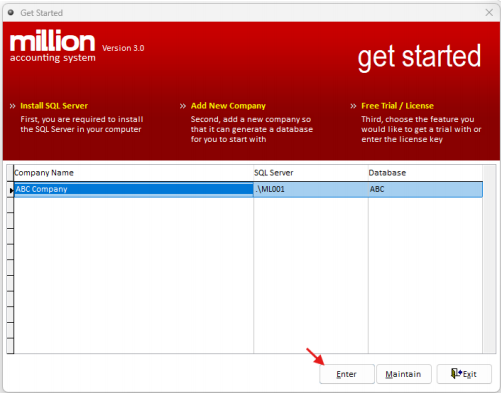
Step 3: Select the Company
Choose the company that you just added and Press Enter to login.
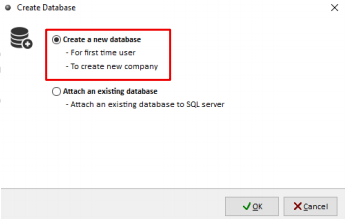
Step 4: Create a New Database
For first-time login, select Create a new database.
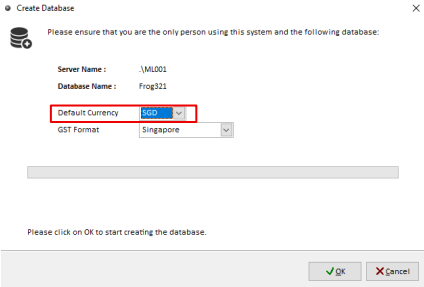
Step 5: Set the Local Currency
Select the local currency as SGD.
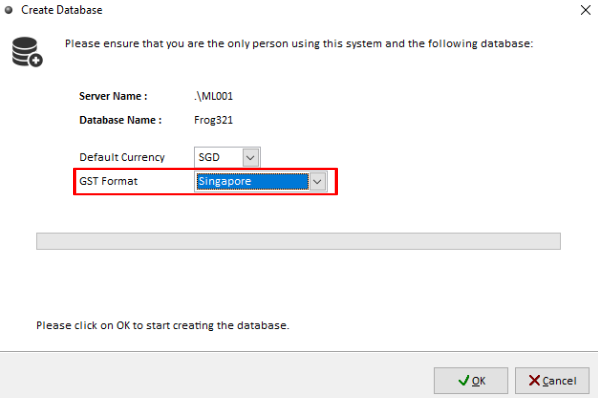
Step 6: Set the Tax Reporting Country
Set the tax reporting option to Singapore.
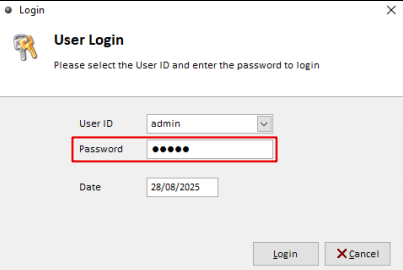
Step 7: Log In with the Default Password
Use “admin” as the password for the first login.