
Step 1: Open License Setup
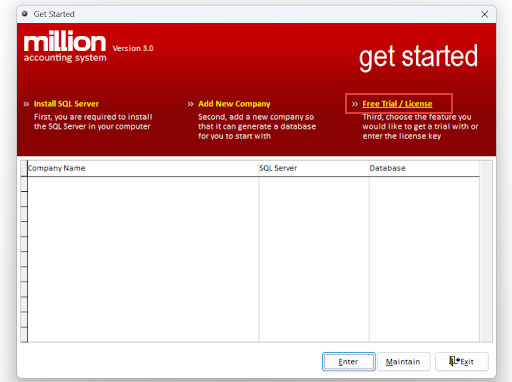
Open the Million System and select Free Trial / License.
Step 2: Open Coding License
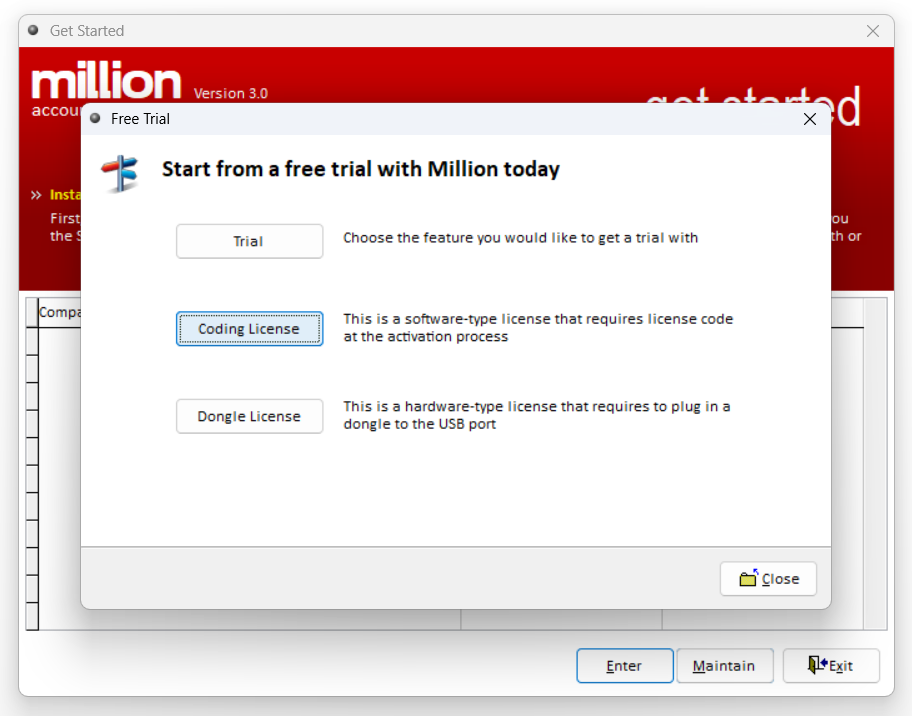
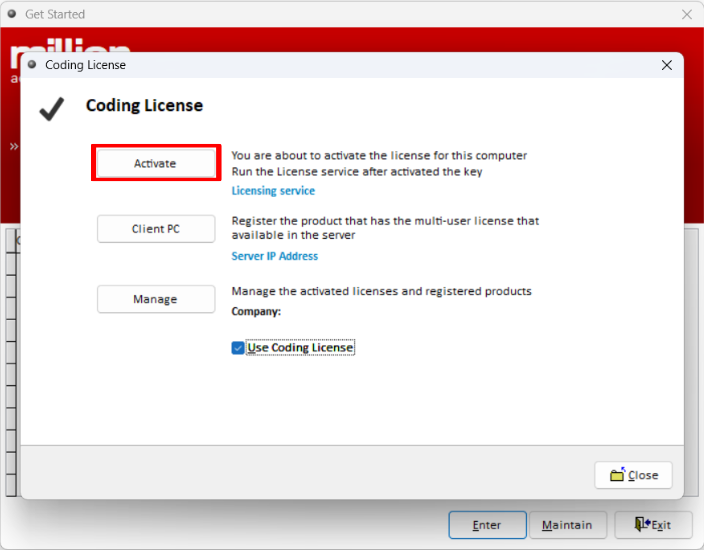
Select Coding License, then click Activate to proceed with the license activation.
Step 3: Enter Company Information
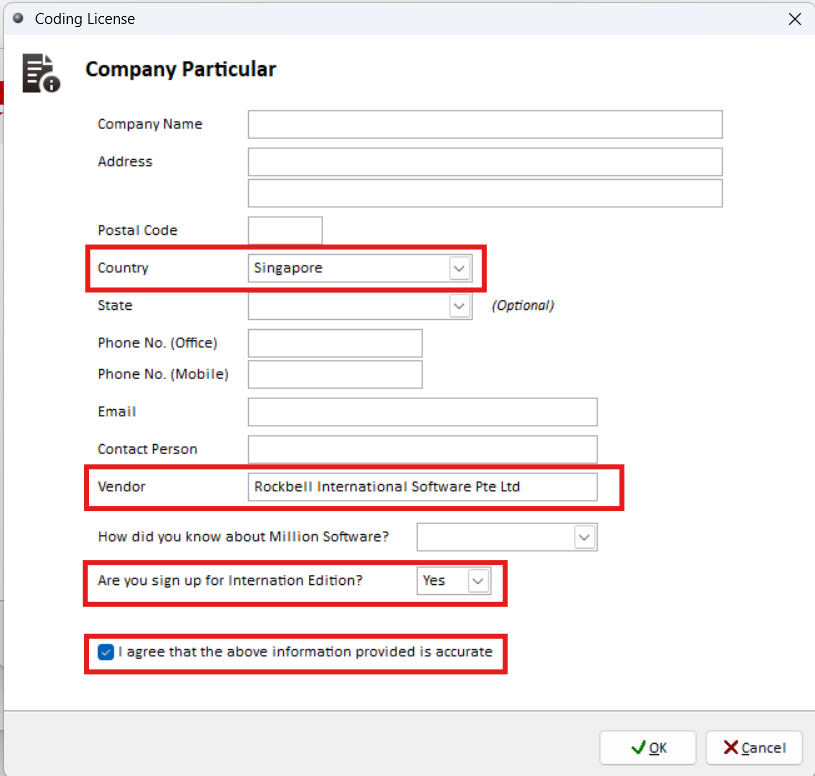
Before activating the license, the system will require you to enter your company information. Complete the required company details according to the settings shown below.
Step 4: Enter the Product Name and Activation Key
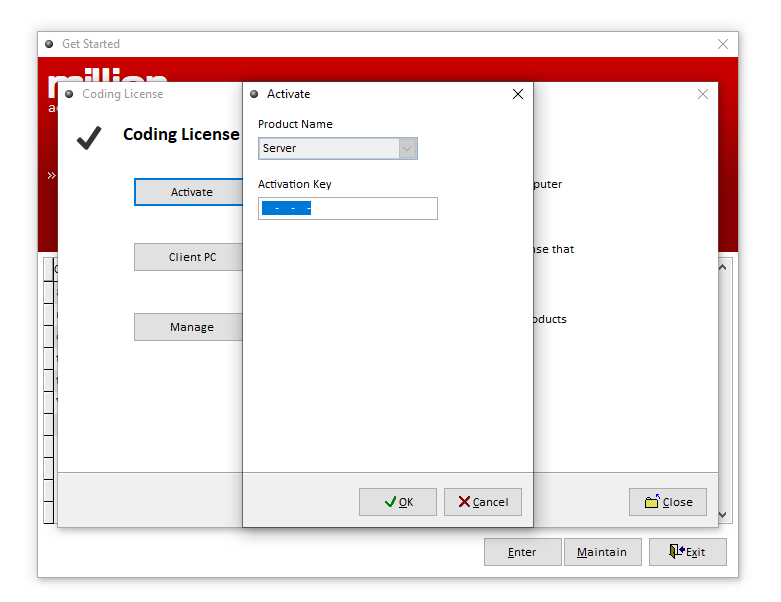
After completing the company information, select Activate again.
Under the Activate section:
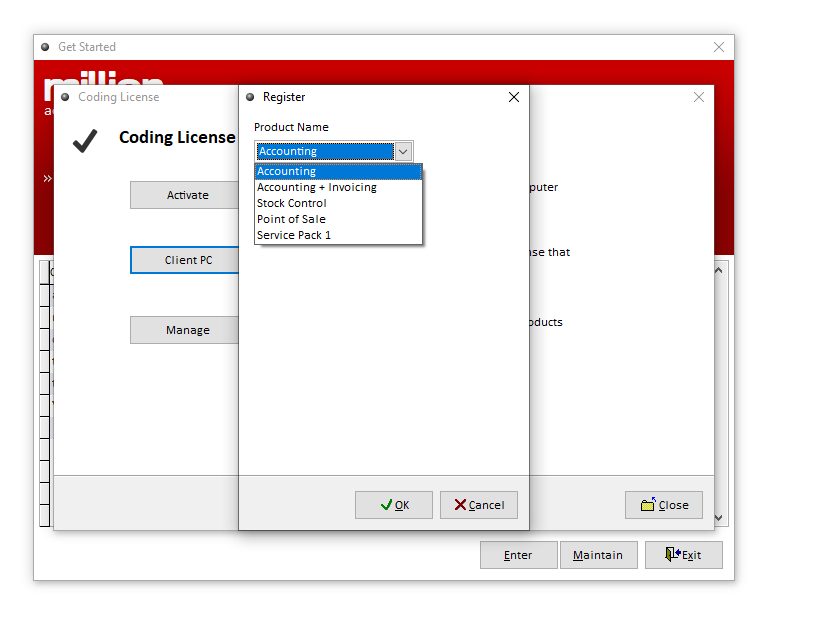
Select the required Product Name.
Enter the Activation Key provided by the administrator.
For the FOC Package, the following licenses are typically provided:
Note: SG - Accounting SP1 (MU) refers to Service Pack 1.
The Activation Keys shown above are examples only. Enter the actual keys provided by the administrator.
Step 5: Check the Activated Licenses
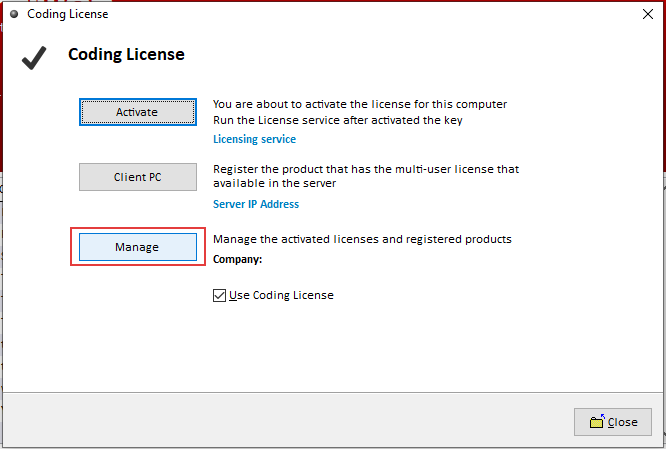
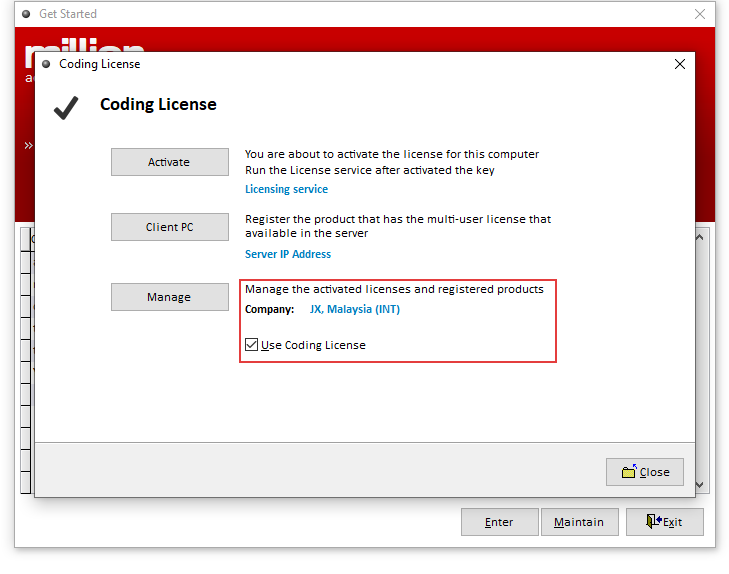
Select Manage to view the licenses that have already been activated.
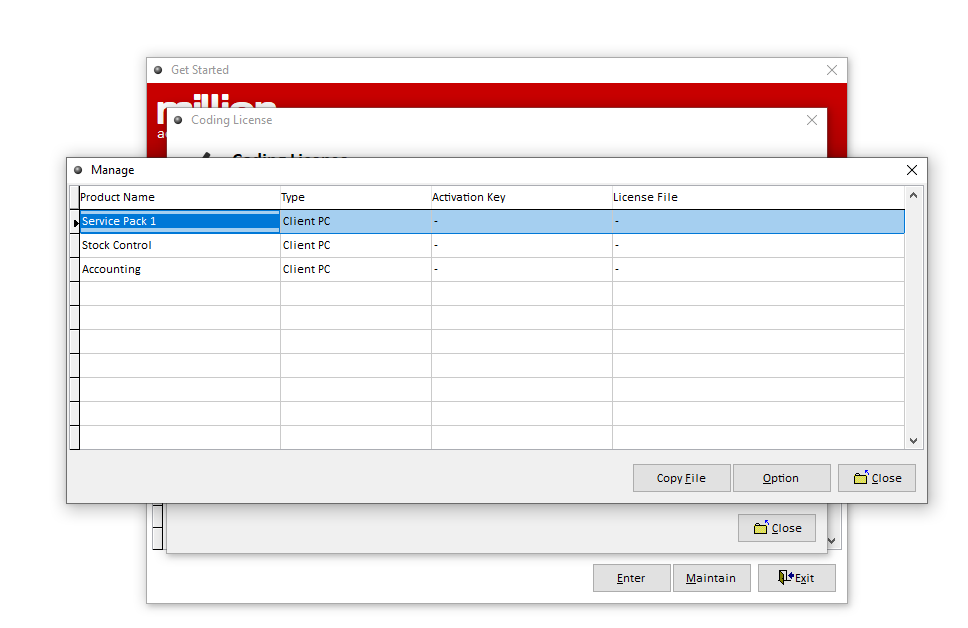
Step 6: Enable Use Coding License
After the license has been added, the Company field beside Manage will display your company name. *Tick Use Coding License to enable the activated license.
Step 7: Restart the Million System
After completing the license activation, close the entire Million System. Then, reopen the Million System.
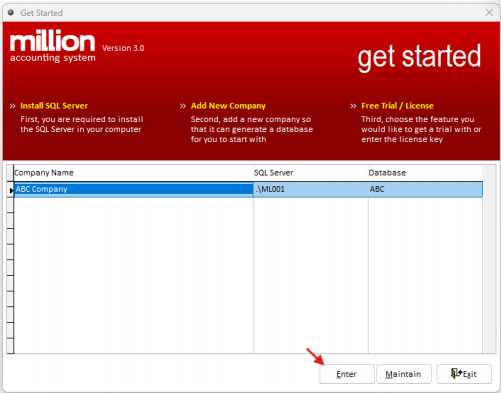
Step 8: Open the Created Database
Enter the database that you previously created. Check whether the database has successfully linked to the activated license.
Step 9: Verify the License Status
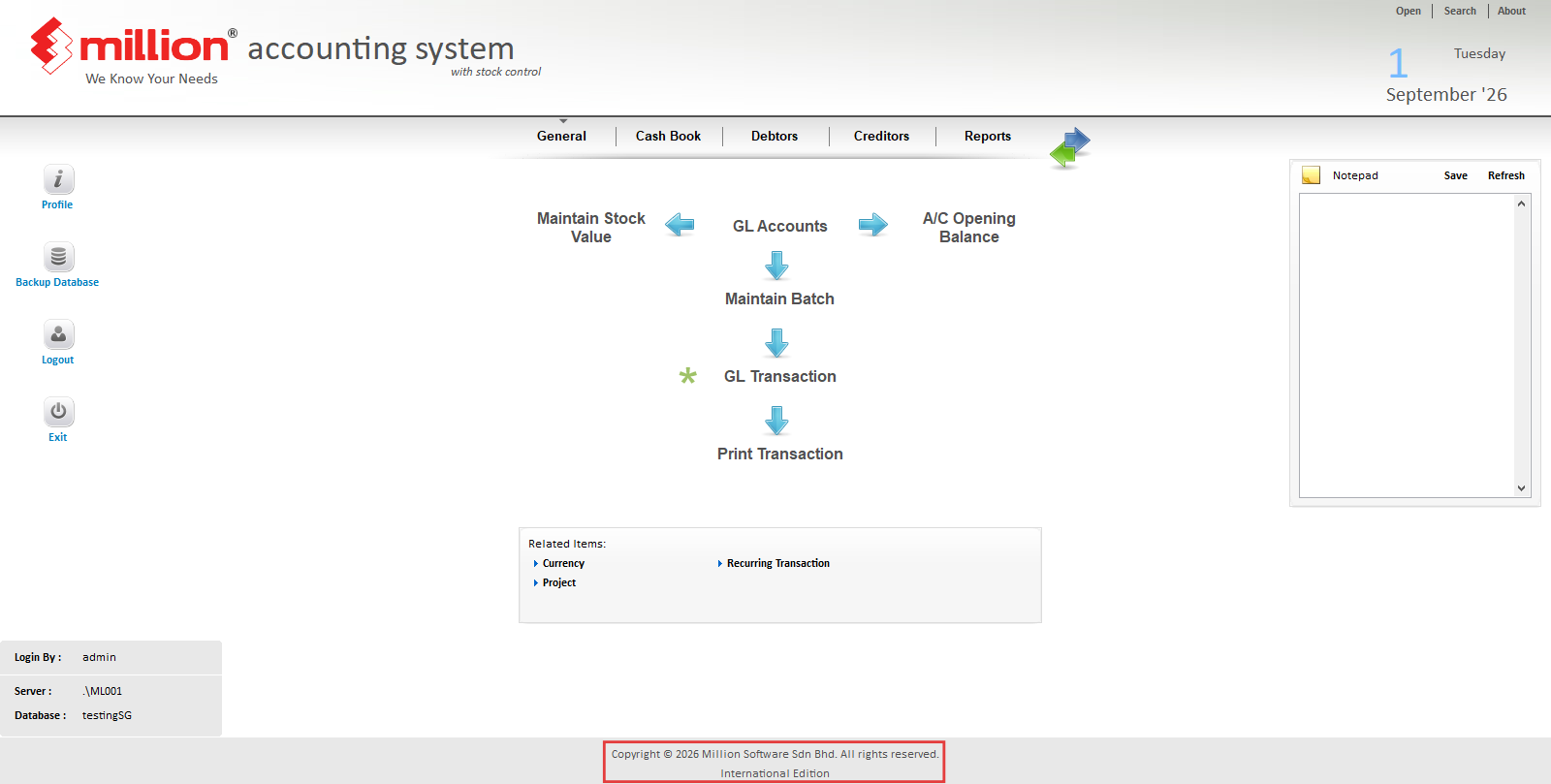
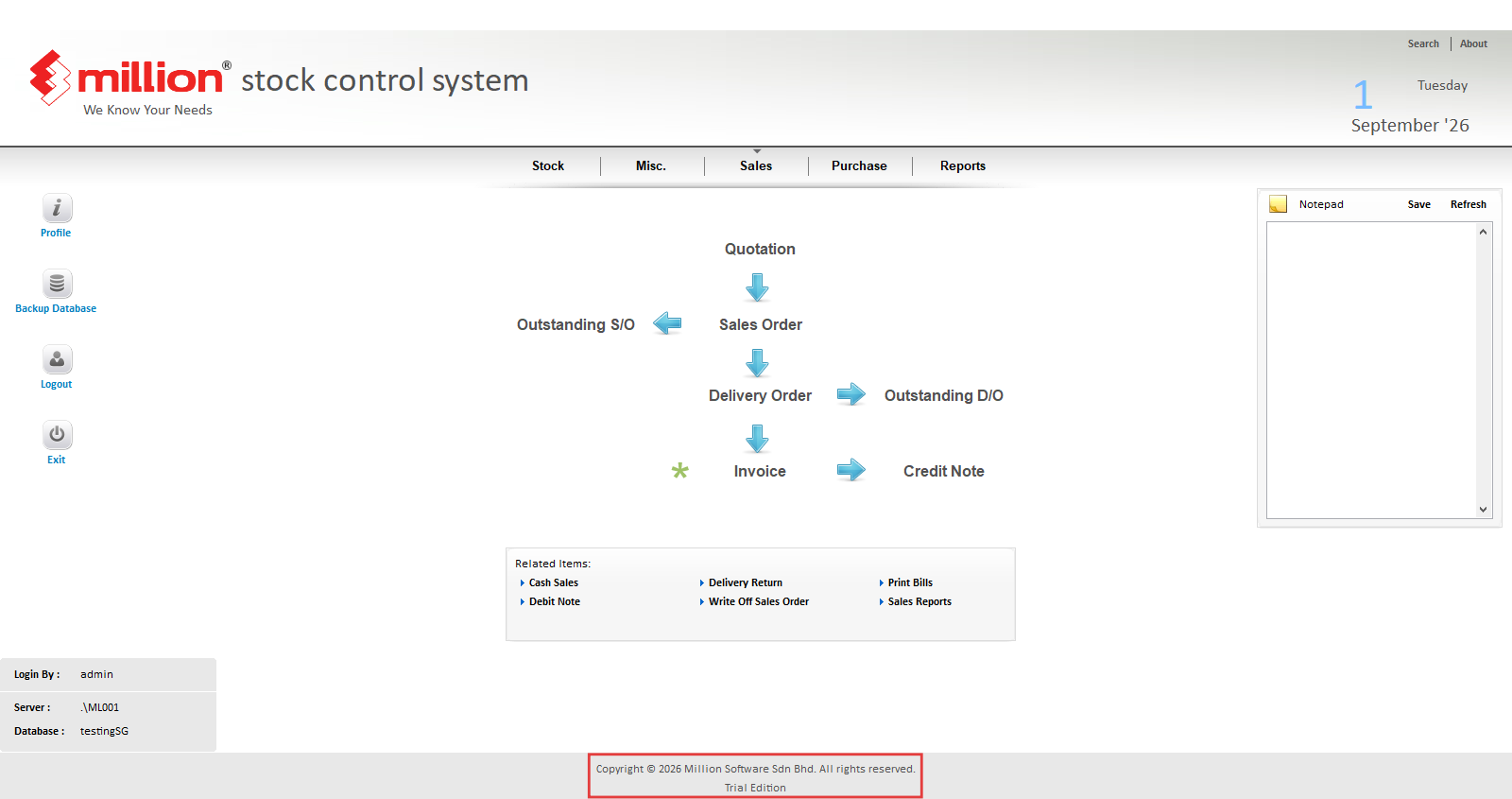
After entering the database, check the edition displayed at the bottom of the Million System.
International Edition – The system has successfully linked to the license.
Trial Edition – The system has not successfully linked to the license.
Note: If a license error occurs while using the system, please contact the sales team
(peppol@rockbell.com.sg) to purchase a valid license