
Stock -> Product -> Add
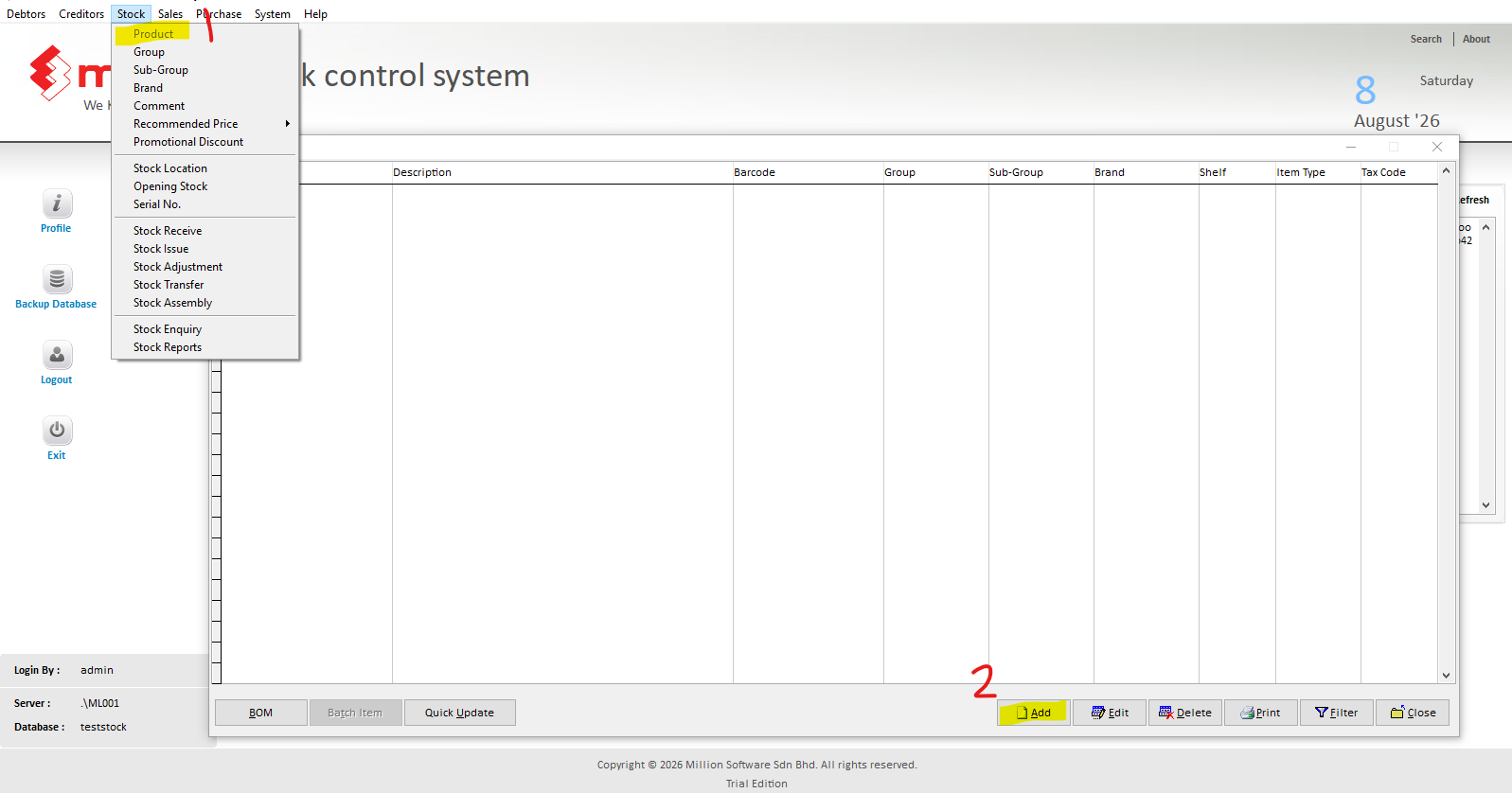
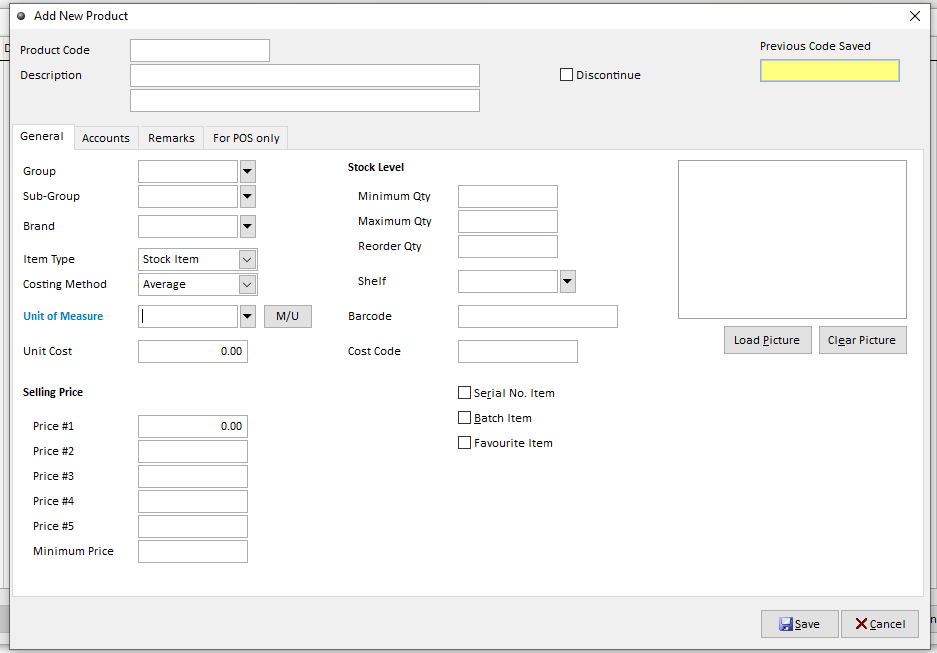
Key in the info for Product
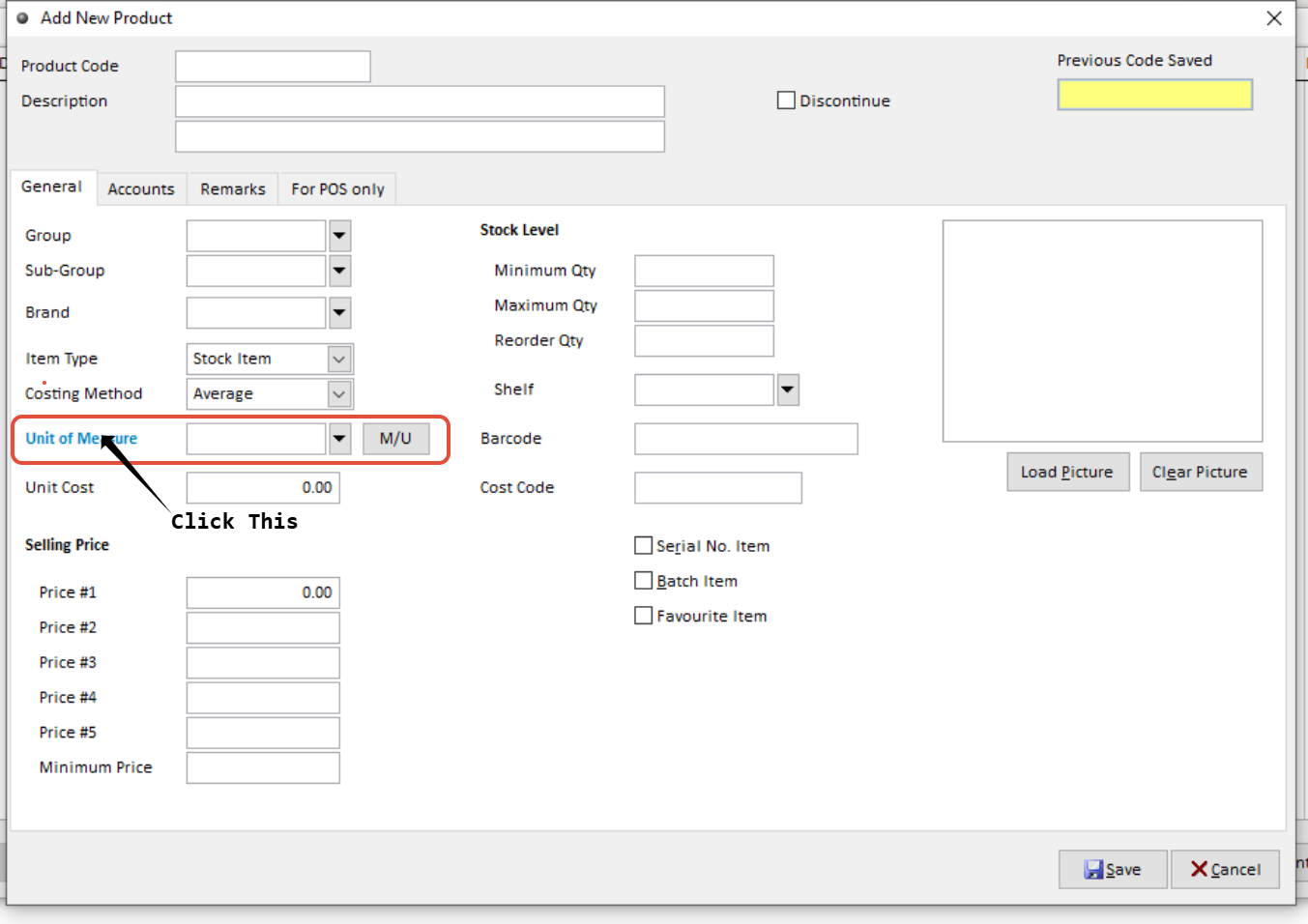 To Setup M/U, Click on the Unit do Measure,
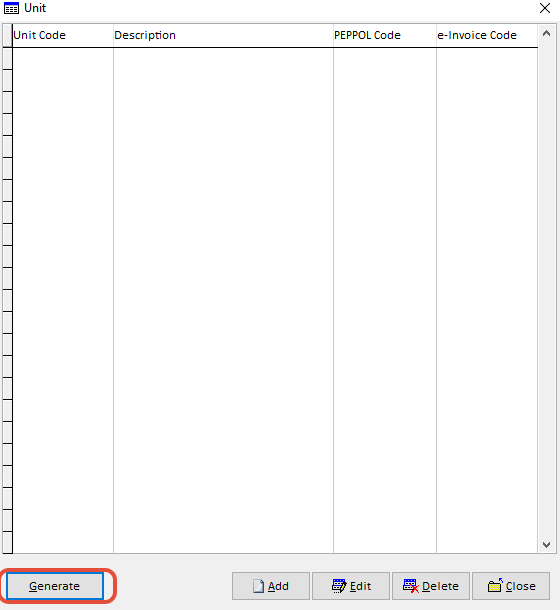
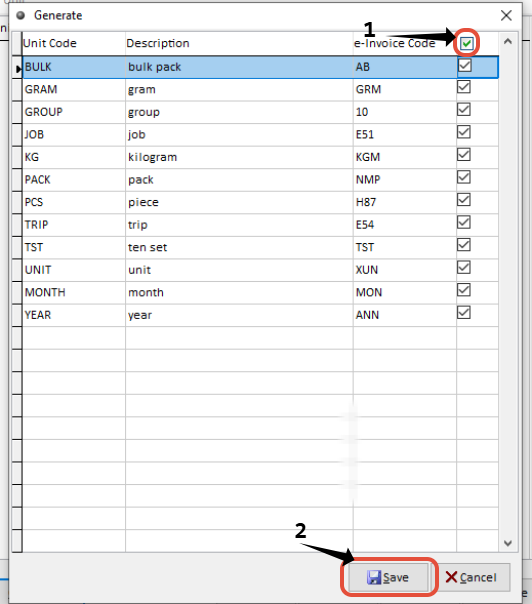
Get back to this page and continue key in the info
Product Code: can be extended up to 30 characters.
Item Description & Item Description 2: can be extended up to 60 characters.
Group: The classification of product for this item.
Sub-Group: Sub-classification of sub-group in detail for this item.
Brand: A product name or identifying label.
Item Type: The classification of stock item or services item for this item.
Stock Item: Will reflect the stock item quantity.
Service Item: Will not be affected by the inventory as it is for servicing items.
Costing Method:
Fixed Cost = Using one standard cost price for stock value calculation.
First In First Out = Based on the latest cost price for stock value calculation.
Average Cost = Based on the latest cost price for stock value calculation
Unit of Measurement: The unit that is used to measure this item.
Unit Cost: Cost price per item. This cost price will remain the same unless you request the system to update the new cost price when you receive stock at Purchase > Good Receive Note / Purchase Invoice.
Selling Price: You can maintain different selling prices for an item.
Minimun Price: The minimum selling price on each item.
Minimum Quantity: The lowest stock level of this item in quantity
Maximum Quantity: The highest stock level of this item in quantity
Reorder Quantity: Setting a reorder level will make it more convenient for you to replenish items that reach the minimum level.
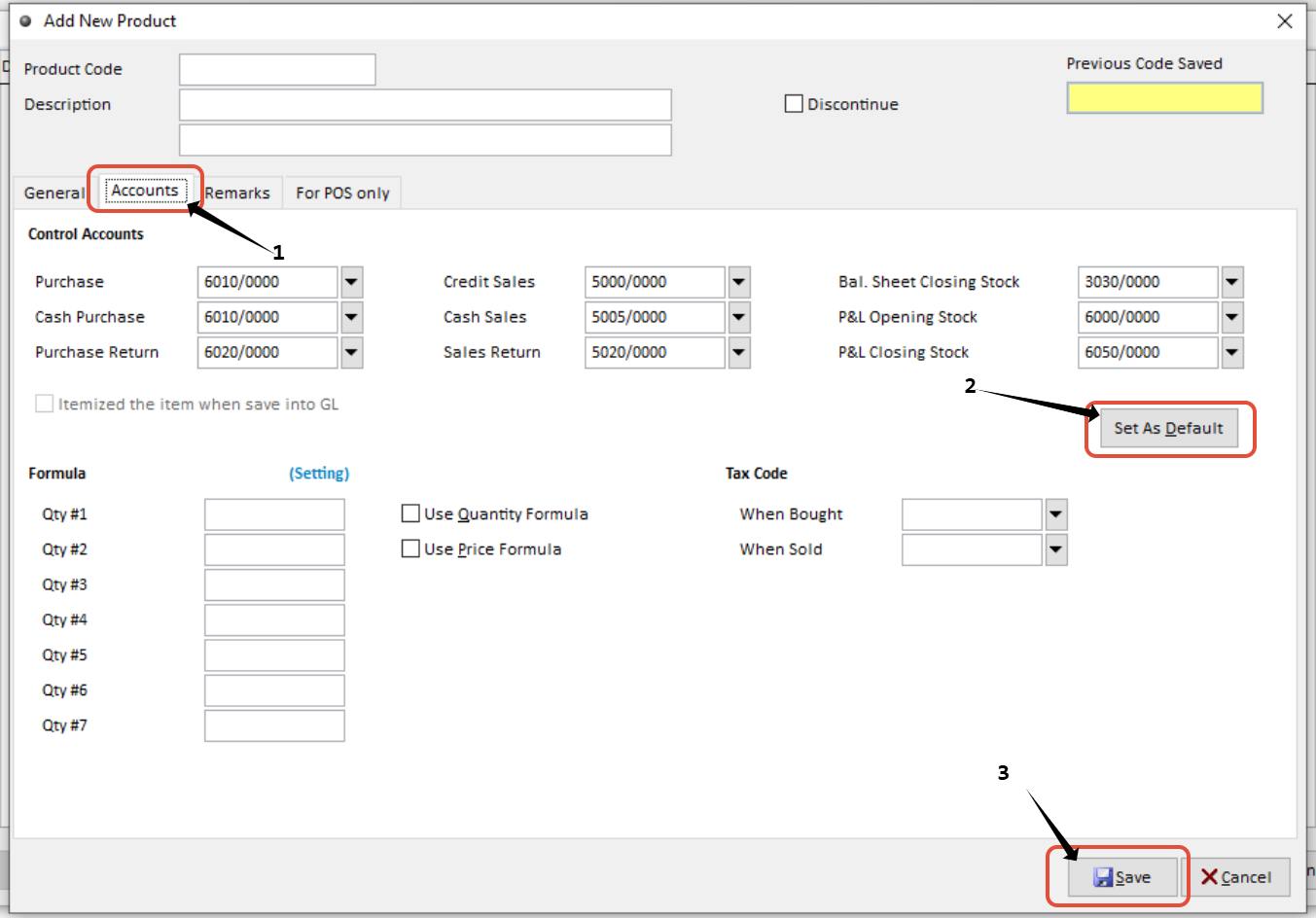
After Key in General info, Click on account, Click on Set As Default to generate control accounts. Then Save