Step 1: Open Control Panel
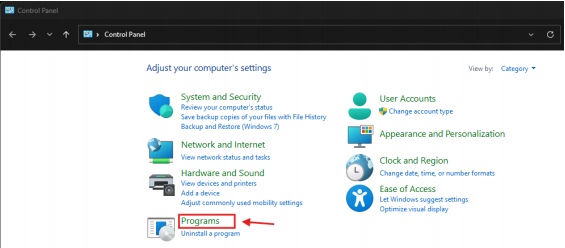
Go to the Windows Start Menu and search for the Control Panel.
In the Control Panel, click on Programs.
Step 2: Open Windows Features
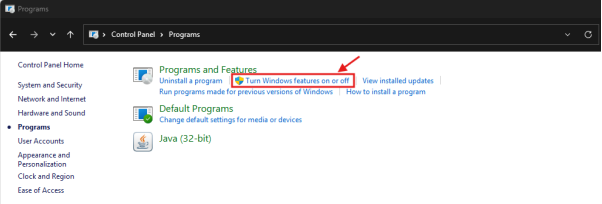
Under Programs and Features, click Turn Windows features on or off.
Step 3: Enable .NET Framework 3.5
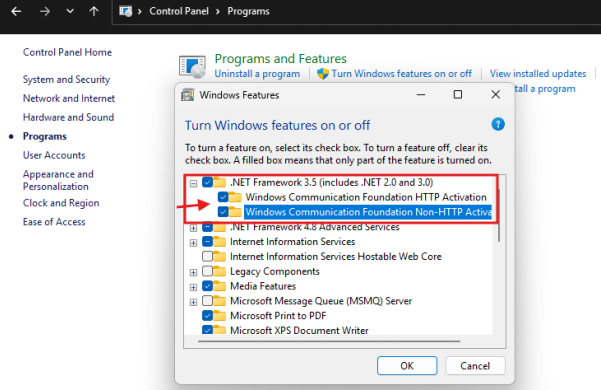
Under the Windows Features list, locate and expand “.NET Framework 3.5
(includes .NET 2.0 and 3.0)”, then enable the checkbox as shown in the picture below and
Press Ok to proceed with the Window Update. (This step can be skipped if the feature is
already installed.)
Step 4: Launch Million Accounting System
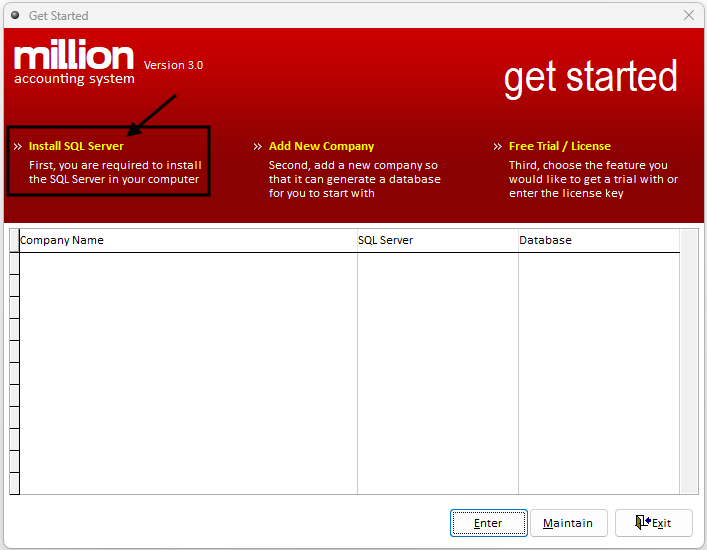
Step 5: Select Install SQL Server
Click Install SQL Server
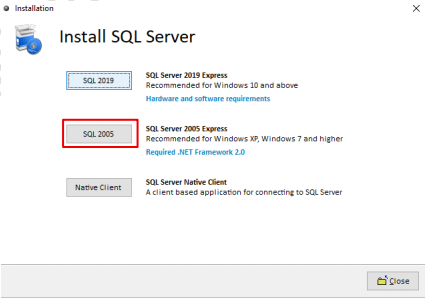
Step 6: Install SQL Server
Click SQL2005 to install the SQL Server. The process will continue automatically.