Step 1: Configure Sender Email Setting
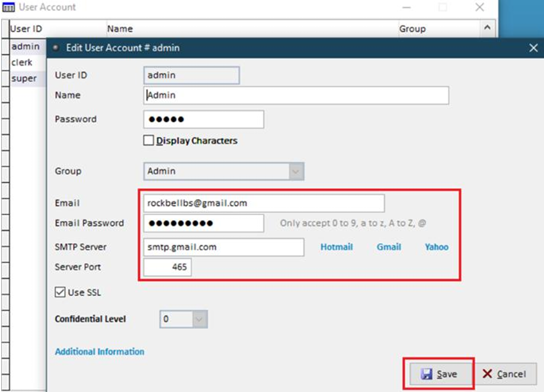
- Go to System > Administrative Tools > User Account > Select & Edit
- Key in email, email password, SMTP server, & server port.
- For Gmail users, refer to this article to set up your App Password.
- Due to security protocols implemented by Microsoft, SMTP servers of Hotmail, Outlook (Free) & Outlook (Office 365) are currently unable to be used.
Step 2: Configure Debtor Email
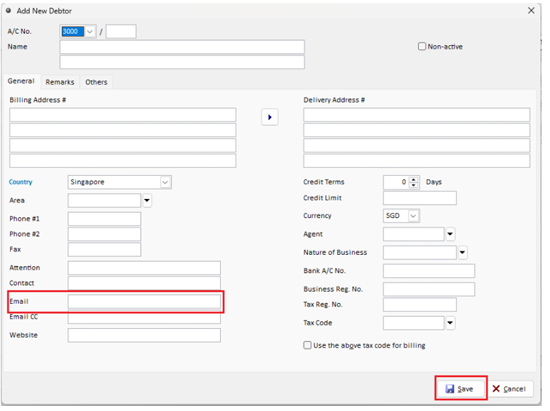
- Go to Debtors, select Debtor Maintenance
- Select & edit debtor, key in email & save.
Step 3: Email Sales Invoice to Customer
- Select the invoice, click Print > PDF File
- Edit the PDF File name if needed, then click 'Email'.
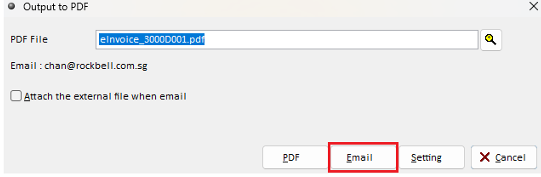
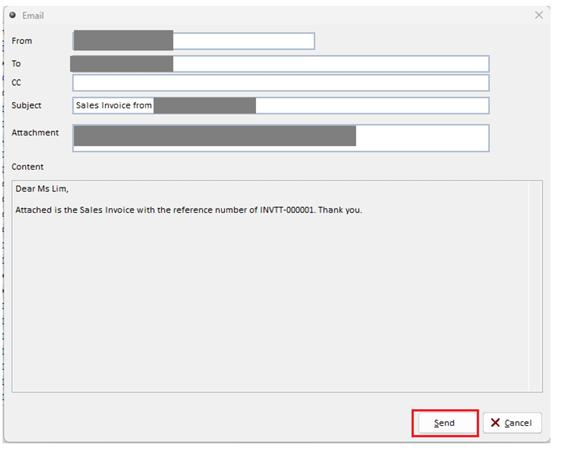
- Check the From & To Email, then click 'Send'.
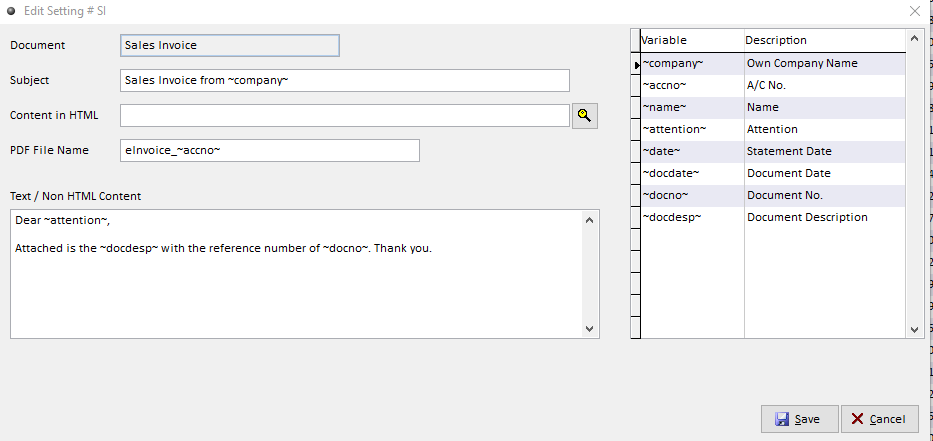
Additional Step: Configure Email Subject & Content
- Before clicking 'Email' at Step 3, click 'Setting' to configure email subject, file name & body text of the email.